



In your search for the best digital signature solutions, you’ve likely come across two commonly used options: Signeasy and Docusign.
While both have millions of users and a collection of useful features, there are also some clear distinctions between them. Read our comprehensive guide to learn more about Signeasy and Docusign, and help you decide which is right for your business.
Key takeaways:
- Signeasy costs $10, $20 and $30 per seat a month on yearly billing for Personal, Business and Business Pro. Docusign costs $10, $25 and $40 for Personal, Standard and Business Pro.
- The entry plans cost the same ($10 yearly, $15 monthly), so Signeasy is cheaper only at the team and workflow tiers.
- Neither tool has a permanent free plan for sending documents. Signeasy offers a 14-day free trial and Docusign offers a free trial.
- Send limits matter as much as price: Docusign Standard and Business Pro allow 100 envelopes per user a year, while Signeasy Business and Business Pro send unlimited contracts.
Prices below are US list prices in USD, read from each vendor’s own pricing page in October 2026.
Signeasy Overview
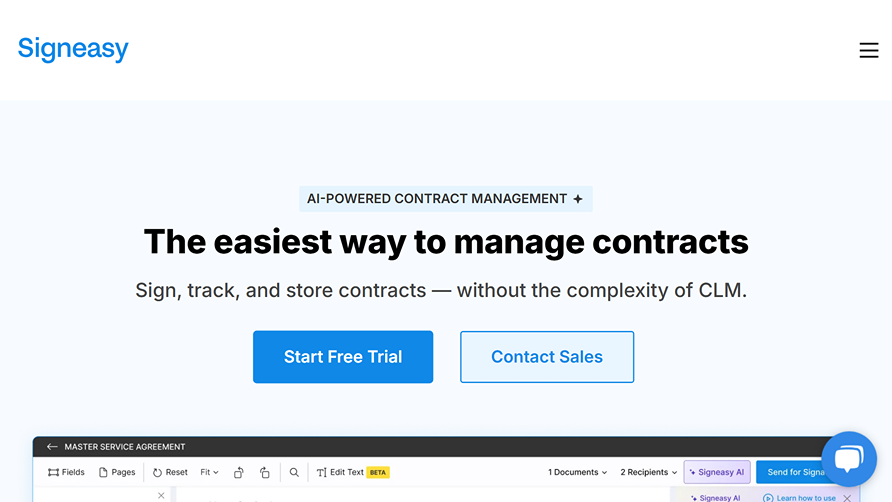
Signeasy is a piece of end-to-end contract management software that helpsyou from start to finish. It helps you prepare documents, collaborate with others, sign documents in seconds, and even harness the power of AI for smart contract reviews and automatic renewal alerts.
It has value for sales teams, HR, legal, IT, and several other areas of your business. The app also has enterprise-level security and integrates with many of your favorite tools. Signeasy also lets you sign and manage contracts on the go, and you can use its API to integrate the platform into your app or website.
Docusign Overview
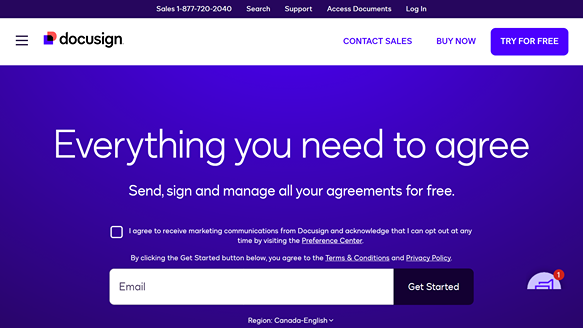
Docusign is a comprehensive tool that lets you send, sign, and handle all of your contracts and agreements with ease. This document signing software has a suite of useful applications for all of your teams to use, including sales, customer experience, legal, HR, and procurement.
It helps you gather useful insights from your agreement data, lets you automate the contract lifecycle, and builds dynamic and interactive web forms. The platform also allows your customers to sign and pay simultaneously, while providing you with various methods to deliver those contracts.
Main Differences Between Signeasy vs. DocuSign
The key differences between Signeasy and Docusign are the features they offer, their pricing, and how user-friendly each platform is.
- Features: While both platforms offer a variety of basic and essential features, Docusign has a much more comprehensive list of advanced features. It also has more integrations and more robust capabilities for managing contracts.
- User-Friendliness: Each platform is simple enough for most people to use and has a clean and modern user interface, but Docusign has a steeper learning curve due to its many additional features and functionalities.
- Pricing: Docusign and Signeasy both offer a variety of plans for different needs, but the entry plans cost the same. Signeasy costs less at the Business and Business Pro levels, which may make it a better choice for teams on a tighter budget.
Signeasy vs. Docusign at a Glance
Here’s a quick look at how Signeasy and DocuSign compare to one another:
| Signeasy | Docusign | |
|---|---|---|
| Features | Create contracts, automate workflows, collaborate with other users, and leverage Signeasy AI. | Generate documents, create web forms, verify signer identity, and deliver contracts via SMS and WhatsApp. |
| Templates | Offers reusable templates that you can easily share with your team. | Provides pre-built templates for both contracts and web forms. |
| Contract Management | Provides real-time contract tracking and keeps all of your documents in one place. | Stores all contracts in a searchable repository that features permission controls. |
| Mobile Access | Yes | Yes |
| AI Capabilities | Yes | Yes |
| Ease of Use | Clear and intuitive interface; very simple to navigate and use. | User-friendly platform, though the many extra features can steepen the learning curve. |
| Security & Compliance | Enterprise-grade security, tamper detection, encryption, and widespread compliance. | Several types of compliance, an audit trail, and a detailed security program are in place. |
| Free Access | No permanent free plan, but a 14-day free trial. | No free plan for sending, but a free trial and a free account for signers. |
| Price (yearly billing, per month) | Personal $10, Business $20, Business Pro $30 per seat. | Personal $10, Standard $25, Business Pro $40 per user. |
In-Depth Comparison Guide
Let’s take a more detailed look at each platform to help you decide which is right for your business.
Key Features
The features a platform provides are among the most important things to consider when looking for the best digital signature software. Here are a few key selling points that each tool offers.
Signeasy key features
- Simple and Quick Contract Preparation: The tool helps you effortlessly create branded contracts thanks to reusable templates and the ability to import contacts. You can also batch contracts together and collect more than just signatures with customizable fields.
- Signeasy AI: Signeasy uses AI-driven tools to identify key terms in a contract, get quick summaries, set alerts for milestones, and more.
- Easily Track Contract Progress: The platform ensures you always know the progress of your contracts, thanks to real-time email notifications for everyone from signers to senders.
Docusign key features
- Build Interactive Web Forms: The platform makes it easy to build interactive and dynamic web forms, with no coding necessary. They’re easy to create, and you can embed them directly onto your site or app.
- Send Contracts in Several Ways: Instead of just delivering contracts via email, Docusign users can also request signatures through other channels such as through WhatsApp or SMS.
- Uncover Actionable Insights: Something that sets this company apart from many Docusign competitors is that it lets you use the agreement data you gather to uncover actionable business insights that can improve your decision-making.
Integrations
Both Signeasy and Docusign offer a host of useful integrations with many business apps and platforms you may already use. Each also offers API capabilities.
Signeasy integrations
- Hubspot
- Formstack
- Several Microsoft apps
- Several Google apps
Docusign integrations
- Microsoft
- Salesforce
- Zoom
- Stripe
- Workday
- ServiceNow and more
Plans & Pricing
The cost of a platform is a major factor when deciding which to use. Thankfully, both Signeasy and DocuSign are transparent about their pricing.
Signeasy cost
Signeasy sells three self-serve plans, priced per seat, plus a custom plan for larger teams:
- The Personal plan costs $15 per month ($10 per month if you pay yearly) and lets you send five contracts for signature each month, sign on the go and execute contracts from Google and Microsoft apps.
- The Business plan costs $30 per month per seat ($20 if you pay yearly) and includes sending unlimited contracts for signature, reminders, an admin dashboard, shared templates and 24/7 email support. It also includes everything the Personal plan does.
- The Business Pro plan costs $40 per month per seat ($30 if you pay yearly) and adds 24/7 priority support, role and permission management, usage tracking, requests for supporting documents from signers and SharePoint and HubSpot integrations. It also includes everything in the Business plan.
- The custom plan is meant for five or more seats or high document volumes, and you need to contact Signeasy for pricing.
Signeasy does not list a permanent free plan. It offers a 14-day free trial so you can create, sign and send documents before choosing a paid plan.
Docusign cost
Docusign pricing has three self-serve eSignature plans plus a custom Enhanced plan:
- The Personal plan costs $15 per month ($10 per month on yearly billing) and allows five envelopes a month for one user.
- The Standard plan costs $45 per month per user ($25 per month on yearly billing) and allows up to 100 envelopes per user a year. It includes all Personal plan features plus shared templates, scheduled sending and collaborative commenting.
- The Business Pro plan costs $65 per month per user ($40 per month on yearly billing) and keeps the same 100 envelope allowance. It includes all Standard plan features plus signer attachments, web forms, bulk send and payment collection.
Docusign has no free plan for sending agreements, but it offers a free trial and a free account for people who only need to sign. If you have unique needs, the company offers enhanced plans with pricing available only through Docusign.
Signeasy vs. Docusign price comparison
Matching plans by what they allow shows where Signeasy is cheaper and where the two cost the same:
| Plan level | Signeasy (yearly / monthly) | Docusign (yearly / monthly) | Send limit |
|---|---|---|---|
| Individual | Personal: $10 / $15 | Personal: $10 / $15 | 5 per month on both |
| Team | Business: $20 / $30 per seat | Standard: $25 / $45 per user | Signeasy unlimited, Docusign 100 per user a year |
| Workflow | Business Pro: $30 / $40 per seat | Business Pro: $40 / $65 per user | Signeasy unlimited, Docusign 100 per user a year |
At the team level Signeasy costs $5 less per month on yearly billing, and at the workflow level it costs $10 less. On monthly billing the gap grows to $15 and $25.
Security & Compliance
Whenever you’re working with sensitive contracts and important documents, it’s crucial to work with a platform that takes your security seriously.
Signeasy security
Signeasy prides itself on having enterprise-grade security, and it includes features like tamper detection, role-based access control (RBAC), encryption, and detailed audit trails to keep you and your vital information safe and secure. Signeasy lists ESIGN, UETA, eIDAS, SOC 2, GDPR, HIPAA and 21 CFR as its compliance coverage.
Docusign security
Docusign security is also top-notch, as it restricts employee access to information, and those with access to information undergo extensive security training. It also has strong threat intelligence and cybersecurity, an audit trail, and a dedicated compliance team. Docusign lists ISO 27001:2022, PCI-DSS, SOC 1 Type 2 and SOC 2 Type 2 reports, and says it adheres to 21 CFR Part 11, HIPAA and Sarbanes-Oxley.
Use Cases
Both electronic signature apps have a wide range of different use cases to help different organizations and teams find success and improve document management.
Signeasy use cases
Signeasy is best for organizations looking for a simple, no-frills solution to managing contracts and getting signatures. It’s beneficial in a wide range of industries, including hospitality, transportation, finance, education, construction, and more. The platform is also designed for your entire team, including procurement, HR, IT, and sales.
Docusign use cases
Docusign is often the preferred choice of larger organizations with more advanced or specialized contract management needs, as it offers numerous additional features that Signeasy doesn’t. It’s used in a variety of industries, including insurance, government, finance, healthcare, real estate, and life sciences. Like Signeasy, Docusign can be used by several teams within your business, like HR, sales, and legal.
Implementation & Support
When you choose a platform, it’s important that it’s not only easy to implement within your organization but also has helpful support if you ever run into issues. Beyond implementation, you also want to ensure that it’s easy for your team to use in their long-term, day-to-day work.
Signeasy ease of use
Signeasy is an incredibly easy-to-use platform with a clear and straightforward interface and simple navigation that lets users get started without issue. The platform offers support via email, and the higher-end plans come with around-the-clock customer service.
Docusign Ease of Use
Like Signeasy, Docusign is relatively user-friendly and well-designed. It has plenty of features to use, however, so the learning curve is steeper. That said, once your team understands the full suite of tools, it’s smooth sailing. Docusign also provides useful customer support and a comprehensive online self-service center, and the onboarding process is relatively straightforward in most cases.
Customer Reviews
We searched through resources like G2 and Capterra to see what past users had to say about Signeasy and Docusign.
Signeasy reviews
Signeasy receives mainly positive reviews, with many users praising the platform for its convenience, user-friendliness, and streamlined interface. Several past users also note its efficiency and how well it helps you keep track of your signings. However, some comments mention it has a lack of integrations and advanced features.
As of April 14th, 2025, Signeasy has a 4.7 rating on G2 with 751 reviews and a 4.7 rating on Capterra with 458 reviews.
Docusign reviews
Similar to Signeasy, Docusign has overwhelmingly positive reviews. These comments highlight the platform’s comprehensiveness and the numerous useful tools it can integrate with. It also features a clean interface and a layout that’s easy to navigate. However, there are some negative reviews about the pricing and customer support.
As of April 14th, 2025, Docusign has a 4.5 rating on G2 with 2,469 reviews and a 4.7 rating with 8,894 reviews on Capterra.
Signeasy vs. Docusign: Which to Choose?
While both platforms help you easily gather and manage contracts and signatures, which solution should you choose? Well, the best e-signature software for you depends on your business needs, preferences, and requirements.
Choose Signeasy for simplicity and affordability
Signeasy is ideal for companies that prioritize user-friendliness and seek a document management platform that won’t break the bank. The learning curve isn’t very steep, and it doesn’t have too many features or capabilities to overwhelm your team. It also offers automation and Signeasy AI to help streamline your contract process.
Choose Docusign for advanced features and numerous capabilities
If you’re looking for an advanced and feature-rich platform to provide everything you need to manage your contracts, Docusign may be for you. The tool has a suite of different applications for its many use cases and hundreds of integrations with other apps. It also lets you generate documents, collect payments, verify signer identity, and so much more.
Signaturely is the Top Alternative to Signeasy & Docusign
Keep in mind, however, that these two solutions are not your only options. Another amazing choice for electronic signatures is Signaturely. It’s a platform that lets you seamlessly sign and send documents in just a few steps, making the process incredibly easy for anyone. The tool also offers automatic reminders, several integrations, and guided signing.
When looking at Signaturely vs. Docusign, Signaturely is also a much less complex platform and is fantastic for organizations looking to keep things as simple as possible. Signaturely costs $25 per month for Personal ($240 a year) and $50 per user per month for Business ($480 a year), with unlimited signature requests and templates on Business.
If you want to test Signaturely for yourself and see if it’s right for your business, don’t hesitate to try out the free trial.
What You Need to Remember About Signeasy vs. DocuSign
Both Signeasy and Docusign are PDF signing software options that make it easy to get electronic signatures and manage your contracts all in one place. While Signeasy is a simple, streamlined, and cost effective solution, it has fewer features than Docusign and may be a better fit for basic needs.
On the other hand, Docusign is an advanced platform with several capabilities and unique extra features, but it costs more at the team and workflow tiers and may have a steeper learning curve due to its numerous features.