



For years, Eversign has been a popular and budget-friendly digital signature solution for everyone, from individuals to small businesses and large corporations. After Apryse acquired it, the product was rebranded to Xodo Sign.
The core signing features that made Eversign popular are still there, and Xodo Sign has since added per-user pricing, advanced PDF editing, and an AI Summarizer. With low entry prices and a free plan, it remains a well-liked solution among users.
But exactly how much will it cost your team to use in 2026? Read our guide to learn more about Xodo Sign pricing, the plans it offers, as well as the features and benefits of each plan.
Xodo Sign Overview
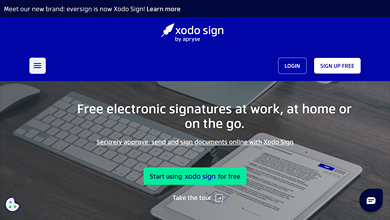
Xodo Sign (formerly Eversign) is an electronic signature solution that lets you approve, send, and sign documents on or from any device. It has a straightforward built-in document editor, numerous contract templates, and the ability to organize and manage your documents in the cloud.
The platform is also secure thanks to data encryption, and it integrates with many leading apps and services that your company may already use. Xodo Sign also makes it easy to collaborate on documents with team members and other companies, and it helps automate your electronic signature workflows to make them more efficient and streamlined.
Of course, its budget-friendly plans are a major selling point as well, making it one of the best alternatives to PandaDoc and other more expensive platforms, especially for smaller companies looking to spend less to sign documents.
Xodo Sign Pricing & Plans (2026)
Xodo Sign now has three self-serve options (Free, Basic, and Professional) plus a custom Enterprise plan. The Professional Plus plan no longer exists, and the old flat plans with user caps have been replaced by per-user pricing. Signers never need a seat, so you only pay for the people who send and manage documents.
The pricing page now shows both billing options. Paying yearly cuts the price in half compared to paying month to month.
| Plan | Billed yearly | Billed monthly | Documents | Templates | Best for |
|---|---|---|---|---|---|
| Free | $0 | $0 | Up to 5 per month (1 every 7 days) | Not stated | Occasional signers |
| Basic | $10 per user per month | $20 per user per month | Unlimited | 3 | Individuals and small teams |
| Professional | $16 per user per month | $32 per user per month | Unlimited | Unlimited | Teams that need branding and PDF editing |
| Enterprise | Custom | Custom | Unlimited | Volume | Custom workflows and API access |
Prices checked on the Xodo Sign pricing page in September 2026. Prices can change, so confirm them on Xodo Sign’s site before you buy.
Free
If you’re looking for free document signing, the Free plan may be right for you. It lets you send up to five documents per month, limited to one document every seven days. Xodo Sign’s pricing page doesn’t list how many templates or SMS credits the Free plan includes.
This plan is ideal for freelancers, solo entrepreneurs, or individuals who only need to send a few documents per month.
Basic
The Basic plan is a step up from the free plan and costs $10 per user per month billed yearly, or $20 per user per month billed monthly. It lets you send unlimited documents for signing and comes with three templates.
It also includes long-term validation (LTV) of electronic signatures, mobile signing and sending through the Xodo app, app integrations with tools like Zapier, Dropbox, and Gmail, and email support during business hours. This is a great choice for smaller teams that need core signing features without extras.
Professional
If the Basic plan is too limited for your needs, the Professional plan takes things up a notch. It costs $16 per user per month billed yearly, or $32 per user per month billed monthly, and there’s no fixed user cap. It includes everything in Basic, plus:
- Unlimited templates
- 10 bulk sending credits and 10 SMS credits for signer verification, based on your seat count
- Advanced PDF editing to redact, annotate, reorder, and edit documents
- AI Summarizer for quick summaries of contracts and other long documents
- Custom branding with your logo and brand colors
- In-person signing
Professional is marked as the most popular plan on the pricing page, and it’s the plan you can try free for seven days without a credit card.
Enterprise
The Enterprise plan uses custom pricing, so you’ll need to contact Xodo Sign for a quote. It includes everything in Professional, plus volume templates and SMS credits, additional seats, bulk document sending, API access, and a dedicated account manager.
This plan is best suited for companies with very specific needs, advanced requirements, or custom workflows.
Xodo Sign API Pricing
In addition to its standard plans, Xodo Sign offers an eSignature API that lets you add electronic signatures to your own apps and workflows. There are three API plans.
| API plan | Price | What’s included |
|---|---|---|
| API Sandbox | Free | Unlimited watermarked test documents and 2 production API documents |
| API Light | $50 per month billed yearly | 50 API documents per month, 5 users, 10 templates, 20 SMS credits per user, bulk sending, in-person signing, dedicated support |
| API Business | Custom | Everything in API Light, plus unlimited templates, volume users and SMS credits, and custom branding |
API Sandbox
This free option lets developers test the Xodo Sign API without being charged. You can send watermarked documents to check your workflow, and the plan also includes two production API documents. If it fits your use case, you can move to a paid plan with more features.
API Light
API Light is marked as the most popular API plan. It costs $50 per month billed yearly and includes five user seats. You can send up to 50 API documents each month, and each additional API document costs $1.50. It also comes with 10 templates, 20 SMS credits per user, long-term validation, advanced integrations, bulk sending, in-person signing, and dedicated support.
This option is ideal for companies that want to automate signature requests without needing a custom solution.
API Business
If you need a custom API subscription, API Business is the plan for you. Like Enterprise, it uses custom pricing. It includes everything in API Light, plus unlimited templates, volume users and SMS credits, additional seats, and custom branding. Xodo Sign says white-labeling is available on select plans.
Xodo Sign Key Features
Xodo Sign has a collection of useful features and functionalities that both large and small companies are able to take advantage of:
- Full document control: The platform has a built-in editor to customize your documents in a variety of ways, such as adding checkboxes, drop-down menus, signature fields, marks, or even entire text paragraphs. Once contracts are signed and finalized, the tool also has electronic document management capabilities to help you manage and organize everything.
- Templates: Choose from several templates to streamline your document creation process and ensure you have ready-made forms or contracts for when you need them. Instead of wasting hours manually setting up and sending the same or similar documents to different people, having templates in place drastically reduces the work involved.
- Widespread integration: Xodo Sign offers a variety of useful integrations with many leading apps and platforms, such as Google Docs, Google Drive, Gmail, Dropbox, Box, OneDrive, Evernote, Zoho, Salesforce, Zapier, Relay.app, and viaSocket.
- Audit trails: These help you track your documents over time and know when they’ve been viewed, signed, changed, and more. This ensures you’re compliant and aware every time one of your important contracts is touched. The company also closely monitors the servers where these documents and audit trails are located, to ensure they’re always secure and accessible.
- Sign on any device: It also features incredible versatility as it lets you instantly sign documents from an iPhone and a variety of other devices, like tablets and computers. This functionality ensures you can keep up with and manage your contracts and documents at home, at the office, or even on the go.
Xodo Sign Implementation & Support
The platform makes it easy to sign a contract online as it has a user-friendly interface, straightforward navigation, and a modern and sleek design. Whether you have experience with similar tools or are a newcomer, the user experience is likely something that you’ll figure out easily.
It’s also very easy to implement compared to competitors, such as HelloSign, which has a steeper learning curve. Still, even if you experience issues or have questions during implementation, setup, or while simply using the platform, the company offers helpful customer support.
Basic and Professional both include access to Xodo Sign’s support team by email during business hours. The old premium support tier is no longer listed. If your organization is on the Enterprise plan, you also get a dedicated account manager.
Xodo Sign Customer Reviews
Xodo Sign enjoys solid reviews from past users and has a high rating that surpasses many of the other popular Docusign competitors in the industry. Xodo Sign’s pricing page currently shows a 4.8 rating on both G2 and Capterra.
Many positive comments highlight the platform’s user-friendliness, seamless contract signing experience, and high-quality customer support. Some also mention the speed of the platform and how intuitive it is to pick up and use without a lot of training.
Meanwhile, many people also praised the company for its value and pricing. One reviewer on G2 said that the platform is “the best value for money given the number of features and the affordable cost they currently charge.” There are many other examples of reviewers highlighting the value and affordability of the different plans it offers.
However, some negative reviews mention that the customization options are limited in some cases, and that the tool lacks some of the features that other platforms provide. While this is a downside to some, others appreciate the lack of feature fluff.
Considerations for Choosing an eSignature Tool
While Xodo Sign is a popular PDF signing software and e-signature tool, it’s far from the only option available. To choose the right one, you need to know what to look for. Here are a few things to consider when deciding which of these tools is right for you.
1. Pricing: Of course, cost is a major factor in any decision when it comes to software solutions. You need to choose one with a pricing structure that fits your budget and provides solid value without breaking the bank.
The good news is that many platforms offer multiple pricing plans to ensure that both companies that want affordable solutions and companies that want top-of-the-line features are satisfied. Many eSignature companies are also up front about pricing, so comparing the cost of one tool to another shouldn’t be a problem.
2. Integrations: If you already work with several different pieces of software within your workflow, it makes sense to choose a solution that integrates well with them.
If not, you may encounter bottlenecks or other issues due to using a platform that doesn’t integrate well with your other apps. Most electronic signature tools have a list of integrations available online, which should make it easier to find one that fits well with your current tech stack.
3. Ease of Use: While every platform may have a slight learning curve, you should choose something that your team picks up easily and can use without weeks or months of training beforehand.
If you choose a platform with a clean interface, simple navigation, and a clear design, both your team and the people signing your contracts will have a much better experience with less wasted time and/or confusion.
4. Security: Because of the confidential and personal information often included in business documents and contracts, ensure any eSignature tool you work with is secure. It should have data encryption in place (both while data is in transit and simply being stored), and the company should offer two-factor authentication to secure user accounts.
There should be backups in place, anti-tampering controls, and audit trails. Plus, the organization should use penetration tests and vulnerability scans to ensure that the security measures it uses are up to par.
5. Scalability: Your chosen solution should not only be able to support your needs today, but also keep up with you as your business grows and your needs change. Changing solutions or providers after implementation can be challenging and time-consuming.
Choose a solution that’s flexible enough to meet your current and future needs right from the start. Of course, keep in mind that greater capabilities and more users/features often mean a higher cost, as well.
See Why Signaturely is the Best Xodo Sign (formerly Eversign) Alternative
While Xodo Sign is a good choice, if you’re looking for the best e-signature software overall, consider Signaturely. It’s an incredibly simple platform that lets you sign documents on an iPad or any other device, collaborate with ease, and manage all of your contracts in one place.
It also sends automatic reminders to signers, offers numerous templates to streamline your workflows, and keeps a useful audit log so you always have a backup of your important documents.
Signaturely also offers guided document signing, ensuring that all your contracts and documents are easy to sign and follow, with no details overlooked. It also has a helpful sign order feature to ensure that people are signing important documents in the correct order to ensure everything stays legal and compliant.
Pricing is simple, too. After a 7-day free trial with unlimited documents, you keep a free account with one document per month. The Personal plan costs $20 per month billed annually ($25 monthly) and includes 5 signature requests per month, while the Business plan costs $40 per user per month billed annually ($50 monthly) with unlimited signature requests and templates, team management, and custom branding.
FAQs About Xodo Sign Pricing
Here are a few common questions about Xodo Sign pricing, along with their answers.
Yes, Xodo Sign offers a free plan that lets you send up to five documents per month (one every seven days). You can also try the Professional plan free for seven days without a credit card.
Yes, the electronic signatures made on Xodo Sign are legally binding in the U.S., as electronic signatures have been granted the same legal status as wet signatures.
Yes, Xodo Sign is a legitimate eSignature software to sign documents. It has been around for several years and has thousands of positive reviews from past customers.
Xodo Sign is a very secure platform, as it uses encrypted cloud storage for documents, and each signing process has a detailed and tamper-evident audit trail. The company also offers electronic signature verification for added peace of mind.
What You Need to Remember About Xodo Sign Pricing
Xodo Sign offers a variety of pricing options and plans for everything from small teams to large organizations. It also offers numerous options for integrating electronic signatures directly into your unique apps and workflows. With per-user prices starting at $10 per month billed yearly and a free plan with five documents per month, it’s still one of the more budget-friendly tools, though monthly billing costs twice as much.