



In this article, we’ll pit SignNow vs. DocuSign. We’ll analyze both electronic signature apps to find out which one is better.
We’ll evaluate both apps based on the following:
- Price
- Online Reviews
- Features
- Security
- Customization
By the end of the article, you’ll know exactly which platform is right for you.
The table below puts the plans side by side, with the limits that decide what you actually pay.
| Plan | Price per month, billed annually (USD) | Price per month, billed monthly (USD) | Sending limit |
|---|---|---|---|
| SignNow Business | $8 per account | $20 | 100 invites per year (10 per month on monthly billing) |
| SignNow Business Premium | $15 per account | $30 | 100 invites per year (10 per month on monthly billing) |
| SignNow Enterprise | $30 per account | $50 | 100 invites per year (10 per month on monthly billing) |
| DocuSign Personal | $10 for 1 user | $15 | 5 envelopes per month |
| DocuSign Standard | $25 per user | $45 | 100 envelopes per user per year |
| DocuSign Business Pro | $40 per user | $65 | 100 envelopes per user per year |
Let’s get started!
Introducing SignNow vs. DocuSign
Here’s a quick introduction to both platforms:
SignNow

Created in 2011, SignNow is a popular eSigning platform with multiple features and much functionality.
SignNow is a good DocuSign alternative for anyone looking for a simple platform. It is one of the best-known online signing platforms and sells flat per-account plans with unlimited users.
Although not nearly as large or popular as DocuSign, SignNow is quickly making a name for itself, and it’s not hard to see why.
Pros and Cons of SignNow
Pros:
- Quite affordable, with pricing starting at $8 per month for the whole account
- Mobile apps for Android and iOS
- Unlimited users, templates and storage on every plan
- Free developer account on every plan
- Shared documents, folders and templates from Business Premium
Cons:
- Signature invites are capped at 100 per year on annual plans (10 per month on monthly plans), then pay-as-you-go
- Full API access, SSO and phone support come only with the Site License
- No permanent free plan, only a 7-day trial
DocuSign
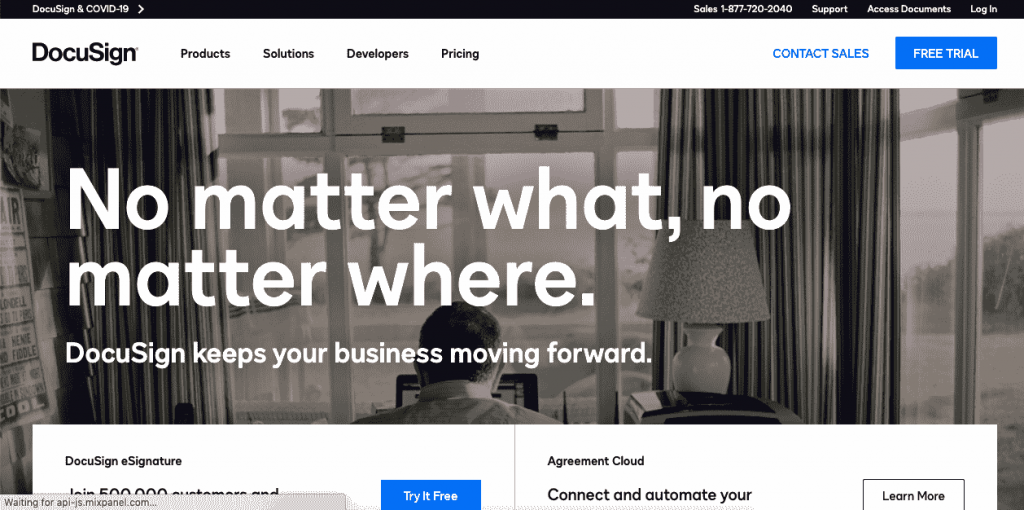
Launched in 2003, DocuSign is a true veteran and pioneer when it comes to online signing.
DocuSign has millions of users who use its platform to create, edit, and customize contracts and sign documents online.
The platform isn’t as easy to use as SignNow, but this is partly because DocuSign offers far more advanced features and signature fields than almost any other popular eSigning platform.
Pros and Cons of DocuSign
Pros:
- Mobile apps for iOS and Android
- A greater level of customization
- Shared templates from the Standard plan
- Web forms, bulk send and payment collection in Business Pro
- 1000+ pre-built integrations, including Salesforce and Microsoft
- ISO 27001, SOC 2 Type II and PCI DSS certifications
Cons:
- More expensive, and priced per user
- Many advanced features are only available with the most expensive plans
- Greater learning curve than SignNow
- 24/7 live technical support is part of the Advanced plans only
Overall, DocuSign is a solid SignNow alternative.
SignNow vs. DocuSign – Head-to-Head Comparison
Here’s how SignNow and DocuSign fare when compared:
1. Usability (+ How Can You Sign a Document?)

Both DocuSign and SignNow are easy to use. The difference lies in how you start using them to develop those documents.
The first thing you’ll need to do with DocuSign is upload a document. You then add your signers and edit your document, adding signature fields. Finally, the platform allows you to add a short message for your signers before sending them the documents.
When your signers open the email, DocuSign will show them your message and guide them through the signing process.

SignNow’s process is similar. You first upload the document and start editing it. Its drag-and-drop editor is simple and does the job well. You can save your document or invite people to sign it by filling out their contact information.
SignNow does not allow you to edit the content of the document. It merely lets you add the fields you need to it. The best you can do is write and save a document as a template to personalize it later.
Winner: SignNow
2. Features
Both SignNow and DocuSign have unique features that make each platform better suited to different audiences.
With SignNow, you get started right away. The platform lets you create your account and start uploading documents immediately, so you can see how simple and easy the platform is to use.
DocuSign, which is more focused on advanced users, aims to provide you with the most detailed features. However, the platform can seem overwhelming if you have no use for them.
The main differences sit in the plan tiers. Both platforms cover the basics, such as signing order, reminders, audit trails, templates and mobile apps, and each tier adds more.
SignNow adds features in three steps as you move up the plans.
- Business ($8) includes unlimited templates, basic fields, signing order, auto-reminders, an audit trail, in-person signing and mobile scan and sign.
- Business Premium ($15) adds bulk send, signing links, payment collection, scheduled sending, shared team templates and drop-down and radio fields.
- Enterprise ($30) adds custom branding, SMS delivery, conditional and formula fields, approval workflows and signer attachments.
DocuSign also adds features with each tier.
- Personal ($10) includes 5 envelopes per month, reusable templates and 1000+ integrations.
- Standard ($25) adds shared templates, real-time comments, your own branding and delegated signing.
- Business Pro ($40) adds mobile-friendly web forms, bulk send, payment collection and real-time data validation.
SignNow puts payments and bulk send into a $15 plan. DocuSign reserves them for its $40 plan. DocuSign leads on form logic and on the number of connected apps. SignNow’s $15 Business Premium plan costs $25 less per month than DocuSign’s Business Pro plan, but it covers fewer form options.
Winner: DocuSign
3. Security
Both SignNow and DocuSign produce legally binding signatures under the ESIGN Act and UETA, and both publish their compliance programs.
DocuSign lists the longer set of certifications on its trust center: ISO 27001, ISO 27017 and ISO 27018, SOC 1 Type II, SOC 2 Type II and PCI DSS 4.0. It is also FedRAMP authorized for its federal product and an EU qualified trust service provider under eIDAS.
SignNow names SOC 2 Type II, PCI DSS, GDPR, CCPA, eIDAS and 21 CFR Part 11 on its security page. HIPAA compliance through a business associate agreement is a paid add-on on the Site License plan.
Winner: DocuSign
4. Use Cases & Case Studies

DocuSign and SignNow have multiple case studies showing how they’ve helped large companies streamline their signing process, saving time and money.
For example, SignNow helped Pepsi with notarizations for the Super Bowl halftime show. SignNow also helped Zoom to expedite signature collection for deals and EDIFY to improve their background screening process.

However, DocuSign publishes many more case studies with companies worldwide, working in sectors from communication to quality management. It helped Box improve their sales-closing rate online, and Expedia to accelerate its uptime to market and to save over 1.5 million dollars with online signatures.
If case studies are important to you, you’ll likely find one similar to your situation with DocuSign.
Winner: DocuSign
5. Integrations & API

SignNow includes cloud storage, Google Docs, Google Sheets, Gmail, Chrome and Zapier connections on every plan. Its Salesforce, NetSuite, HubSpot and Microsoft integrations are a paid add-on on the Site License plan, and full API access also belongs to that tier. API plans are sold separately and start at $84 per month for 500 invites per year, with a free developer account for testing.

DocuSign lists 1000+ pre-built integrations on its integrations page. This is perfect if you want to go fully paperless and connect all your apps. If you’re looking for a tool that works with what you already use, DocuSign will most likely be the winner.
Winner: DocuSign
6. Customer support
No one likes having to contact customer support when they have questions or, even worse, to solve a problem. That’s why great customer support is vital to receiving online solutions.
SignNow lists 24/7 live chat on its Business plan and above, and phone support belongs to the Site License. DocuSign’s pricing page ties 24/7 live technical support to its Advanced plans, which are priced through sales.
For a small team, that means SignNow gives you a person to chat with sooner. DocuSign asks you to pay for the top tiers before you get the same.
At Signaturely, we believe all users deserve good customer service, not just those who can afford to pay more.
Winner: SignNow
7. Pricing Model
SignNow offers four options for its users. All options include unlimited templates, unlimited users and the mobile apps. SignNow prices a whole account, while DocuSign prices each user.

SignNow’s Business plan starts at $8 per month (billed annually) or $20 billed monthly. Every plan includes unlimited users, and annual plans include 100 signature invites per year.
The Business Premium plan starts at $15 per month (billed annually) or $30 monthly and adds payment collection, notifications, and bulk sending. If you’re looking for the cheapest plan for regularly sending and receiving signatures for your business, this is probably the one for you.
SignNow’s Enterprise plan starts at $30 per month (billed annually) or $50 monthly. This plan is for companies that need custom branding, signer attachments, and more advanced fields.
The final option is the Site License, which is priced at $1.50 per signature invite with volume discounts. This tier also gives you priority phone support, HIPAA compliance, advanced integrations, and the rest of the platform’s tools, such as a PDF editor and USLegal forms library.
DocuSign pricing starts with its Personal plan at $10 per user per month billed annually ($15 monthly), which includes limited customization and up to 5 envelopes per month.

The Standard option starts at $25 per user per month billed annually ($45 monthly) and covers up to 100 envelopes per user per year. This plan offers additional customization options, reminders and notifications, and other useful features.
With the Business Pro plan, starting at $40 per user per month, you keep the same 100 envelopes per user per year and add web forms, bulk send, payment collection and real-time data validation.
Finally, you can choose an Advanced Solution tailored to the needs of your business. You’ll want this option if you need advanced integrations and better customer support.
Neither company lists a permanent free eSignature plan, just free trials: 7 days for SignNow and 30 days for DocuSign.
The sending limit decides which one costs less. A small team that sends a few documents a month fits inside SignNow’s invite allowance. A team that sends hundreds per year should check the pay-as-you-go rate for extra invites before it commits, and DocuSign’s cap of 100 envelopes per user per year makes extra seats the main cost driver there.
Although DocuSign does have a few more features for its tiers, it’s also quite expensive, especially for small businesses looking for customization options.
Winner: SignNow
8. User Satisfaction and Reviews

The reviews for both SignNow and DocuSign show that both platforms have multiple users who love their experience, although for different reasons.
SignNow reviews usually focus on customer experience and how convenient the platform is. Many reviewers mention that it’s very user-friendly and easy to use, and the attributes were as they expected and were much cheaper than DocuSign and Adobe Sign. Negative reviews focus on the limited free trial period and the lack of a document editor within the platform.
DocuSign user reviews usually focus on what they can do within the platform. Users talk about how many customizable options they get, even at cheaper tiers. Negative reviews focus on how steep the learning curve is compared to other platforms, making the platform hard to master fully.
Winner: Draw.
9. Customization

DocuSign and SignNow have great customization capabilities for companies looking to add logos to their documents.
DocuSign allows you to customize color schemes, banners, and buttons to make them fit your company’s visual style.

SignNow has a slight edge over DocuSign because it provides far more options for company branding. With SignNow, you can brand your platform, customize your e-signing invites, and add your branding to emails and messages.
Winner: SignNow
SignNow vs. Docusign – Which tool should YOU choose?
As you can see, although DocuSign and SignNow are very different platforms, both have unique advantages that give them an edge over the other. The final winner will depend on who you are and what you need from a platform.
Use this quick guide to match your situation to a tool.
SignNow for Small Businesses on a Budget
SignNow is a great option for anyone who needs a few documents signed online per month and doesn’t require a lot of advanced options. It is easy to use with its intuitive UI and navigation.
At some pricing tiers, the cost is almost half what you’d end up paying with DocuSign, and its interface is so easy to use that you’ll be customizing documents for online signing within minutes.
If you’re on a budget and don’t need many advanced features, SignNow is a good platform for you.
DocuSign for Medium and Large Companies
DocuSign is a powerful option if your company needs more than just a handful of documents signed regularly and you have the budget for more.
DocuSign can easily adapt to what you’re already using with its 1000+ pre-built integrations and will give you a ton of value from your investment.
With DocuSign, you can also get a perfect customized pricing plan, and although harder to master, it allows you to do much more with your documents and signatures than SignNow.
Still looking for a perfect online signature solution? Try Signaturely

If you’re after a platform that’s easier to use than SignNow, while still cheaper and more powerful than DocuSign, you can’t go wrong with Signaturely.
Unlike SignNow and DocuSign, Signaturely offers a free plan with one document per month after the 7-day trial, so you can keep using it without paying. Your account seamlessly integrates with Google Drive, Dropbox, OneDrive, and Box, so you can download the documents you’re already working with.
Need more signature requests?
Signaturely’s Personal plan gives you 5 signature requests per month for $20 per month billed annually ($25 monthly), and the Business plan removes the limit.
And, unlike SignNow, Signaturely also gives you both unlimited signature requests and unlimited templates, for $40 per user per month billed annually ($50 monthly), the same list price as DocuSign Business Pro, which caps envelopes at 100 per user per year. At this tier, you’ll also get features for team management and custom template branding.
Signaturely makes it easy to create online documents.
Start by deciding if you’ll be signing the document or not. In this section, you can also decide whether or not you need to send this document for bulk signing.
You can then title your document, import or create it using the editor, and choose your signers along with the message they’ll receive with the document.
Signaturely also allows you to assign a signer order and review your document before you send it. That way, you’ll ensure you’ve signed the document correctly and prevent any issues with it.
Once you send your document to be signed, Signaturely will guide your signers throughout the signature process and allow them to create their own e-signature if they don’t have one.
Sign up for free to start using Signaturely today.
Frequently Asked Questions around SignNow and DocuSign
Here are the answers to questions you may still have:
SignNow is a cloud-based online signature platform that allows users and companies to sign legally binding documents online.
SignNow starts at $8 per month for its most basic tier and $15 per month for Business Premium, both billed annually and with unlimited users. Custom branding requires the Enterprise plan at $30 per month.
Open the platform and upload your document. Select where you’ll need to add a signature field and use the drag-and-drop editor to place them. Finally, select your signers, add their email, and press “send” so they can receive the document to sign.
DocuSign starts at $10 per month for its Personal plan and $25 per user per month for its business-focused plan.
Go to the Templates page and click on “New Template.” Type the name and description of the template. If you have one already, you can upload it from your computer or your online storage. Once you’ve uploaded your document, add your recipient roles and named recipients. You can import a list of recipients in bulk. Finally, define a standard message for your template, and save it.
DocuSign allows you to start with a free trial. From there, you can upload the documents you’ll be signing online and set up your templates. Finally, you can import all your contacts and set up your branding to start sending online signature requests.
SignNow vs. DocuSign: Conclusion
SignNow is a great tool for any business on a budget that can’t afford to spend too long familiarizing its users with the platform and is looking for a simple, affordable way to request online signatures.
DocuSign is better for large companies that must send multiple documents to signers regularly and are willing to pay more to integrate the platform into its tools and solutions and get more advanced signing options.
If you’re looking for a more intuitive tool than SignNow, cheaper than DocuSign, and that has a free plan, you can’t go wrong with Signaturely.