



HelloSign is now called Dropbox Sign, and the real difference with DocuSign comes down to price and send limits. Dropbox Sign paid plans start at $15 a month on yearly billing and allow unlimited signature requests. DocuSign starts at $10 a month, but Personal allows 5 envelopes a month and Standard and Business Pro allow 100 envelopes per user a year. DocuSign wins on integrations, notarization and routing, and Dropbox Sign wins for steady, high-volume sending. All prices below are USD list prices on yearly billing unless the text says otherwise, and each one comes from the vendor’s own pricing page.
What is HelloSign called now, and who owns it?
HelloSign is now Dropbox Sign, and Dropbox owns it. Dropbox agreed to buy HelloSign for $230 million in cash in January 2019, and the rename to Dropbox Sign rolled out from October 2022. The rename covered the whole product family, so HelloFax became Dropbox Fax, the HelloSign API became the Dropbox Sign API and HelloWorks became Dropbox Forms. Dropbox also owns DocSend, and our comparison of DocSend replacements lists the sharing and signing options side by side.
DocuSign is a separate company, and it isn’t owned by or linked to HelloSign. “HelloSign vs DocuSign” and “Dropbox Sign vs DocuSign” are therefore the same comparison, and this page covers both names. For plan details on each side, see our guides to HelloSign pricing and DocuSign pricing.
HelloSign vs DocuSign at a glance
Dropbox Sign and DocuSign cost the same at Standard, $25 per user a month, so the gap sits in send limits, free plans and extras. This table puts both tools on the same facts.
| Tool | Entry paid plan | Mid plan | Top self-serve plan | Send limit on paid plans | Free plan | Integrations |
|---|---|---|---|---|---|---|
| Dropbox Sign (formerly HelloSign) | Essentials, $15 a month, 1 user | Standard, $25 per user a month, 2 or more users | Premium, custom quote, 5 or more users | Unlimited signature requests | 3 signature requests per 30 days, unlimited self-signing | Google Drive, Microsoft Word and HubSpot, Salesforce as an add-on |
| DocuSign | Personal, $10 a month, 1 user | Standard, $25 per user a month | Business Pro, $40 per user a month | Personal 5 envelopes a month, Standard and Business Pro 100 envelopes per user a year | Free account to sign and store, no sending | More than 1,000 pre-built integrations |
Prices are yearly billing, and both vendors also sell monthly billing, which the pricing section covers below.
How much do Dropbox Sign and DocuSign cost per month?
Dropbox Sign costs $15 a month for Essentials and $25 per user a month for Standard on yearly billing, and DocuSign costs $10 for Personal, $25 per user for Standard and $40 per user for Business Pro. Dropbox Sign Essentials covers one user with 5 templates. Standard needs at least two users, so $50 a month, or $600 a year, is the real entry point for a team. Premium is a custom quote for five or more users and adds unlimited templates and single sign-on.
Standard adds bulk send, custom branding and reporting, which Essentials lacks. Dropbox runs coupon offers on its pricing page from time to time, and this page uses list prices only.
DocuSign shows three billing modes, and the month-to-month price is the highest. Personal runs $10 a month on yearly billing, $11 on a yearly plan paid monthly and $15 billed monthly. Standard runs $25, $30 and $45 per user. Business Pro runs $40, $45 and $65 per user.
Business Pro adds mobile-friendly web forms, bulk send, payments during signing and real-time data validation. Standard and Business Pro also sell paid add-ons, such as SMS delivery from $0.40 per delivery and ID verification from $2.50 per attempt. DocuSign’s Enhanced plans have no public price. DocuSign’s pricing page shows euros to visitors in Europe, so confirm the USD amount at checkout.
What do the send limits and free plans really allow?
Dropbox Sign paid plans allow unlimited signature requests, while DocuSign Personal allows 5 envelopes a month and Standard and Business Pro allow 100 envelopes per user a year. An envelope is DocuSign’s unit for one send, so the cap counts sends rather than pages or signers.
A yearly cap of 100 works out to about 8 sends a month per user. A sales rep who sends 20 contracts a month needs 240 sends a year and reaches the Standard cap after five months. DocuSign sells custom envelope limits through its Enhanced plans, which means a quote instead of a list price. Dropbox Sign has no such ceiling on Essentials or Standard.
| Plan | Send limit | Price (billed yearly) |
|---|---|---|
| Dropbox Sign Free | 3 signature requests per 30 days, unlimited self-signing | $0 |
| Dropbox Sign Essentials | Unlimited signature requests | $15 a month |
| Dropbox Sign Standard | Unlimited signature requests | $25 per user a month |
| DocuSign Personal | 5 envelopes a month | $10 a month |
| DocuSign Standard | 100 envelopes per user a year | $25 per user a month |
| DocuSign Business Pro | 100 envelopes per user a year | $40 per user a month |
The free plans differ in kind. Dropbox Sign’s free plan sends 3 signature requests, and the allowance renews every 30 days from the day you sign up. Self-signing your own documents doesn’t count against that limit. DocuSign’s free account lets you sign and store documents, but sending signature requests needs a paid plan or a trial.
How do the features and ease of use compare?
DocuSign offers more routing, identity and compliance options, and Dropbox Sign keeps the feature list shorter. Neither vendor publishes a usability benchmark, so ease of use is a matter of taste. Dropbox Sign has fewer settings because the plan matrix has fewer rows, and Dropbox Sign Essentials already includes an audit trail and unlimited requests.
On Dropbox Sign, the Standard plan adds bulk send, branding and reporting, and Premium adds single sign-on. On DocuSign, Standard adds shared templates, real-time comments, branding and delegated signing, and Business Pro adds web forms, bulk send and payments. DocuSign says its product offers features that Dropbox Sign doesn’t, among them remote online notarization, signing groups, delayed routing, scheduled sending and SMS delivery. That list comes from DocuSign’s own comparison page, so treat it as the vendor’s claim.
| Tool | Bulk send | Custom branding | Reporting | Single sign-on | Web forms | Payments during signing | Notarization, signing groups, delayed routing |
|---|---|---|---|---|---|---|---|
| Dropbox Sign | Standard and Premium | Standard and Premium | Standard and Premium | Premium | Not listed | Not listed | Not listed on the pricing page |
| DocuSign | Business Pro | Standard and above | Not listed by plan on the pricing page | Enhanced plans | Business Pro | Business Pro | Listed by DocuSign |
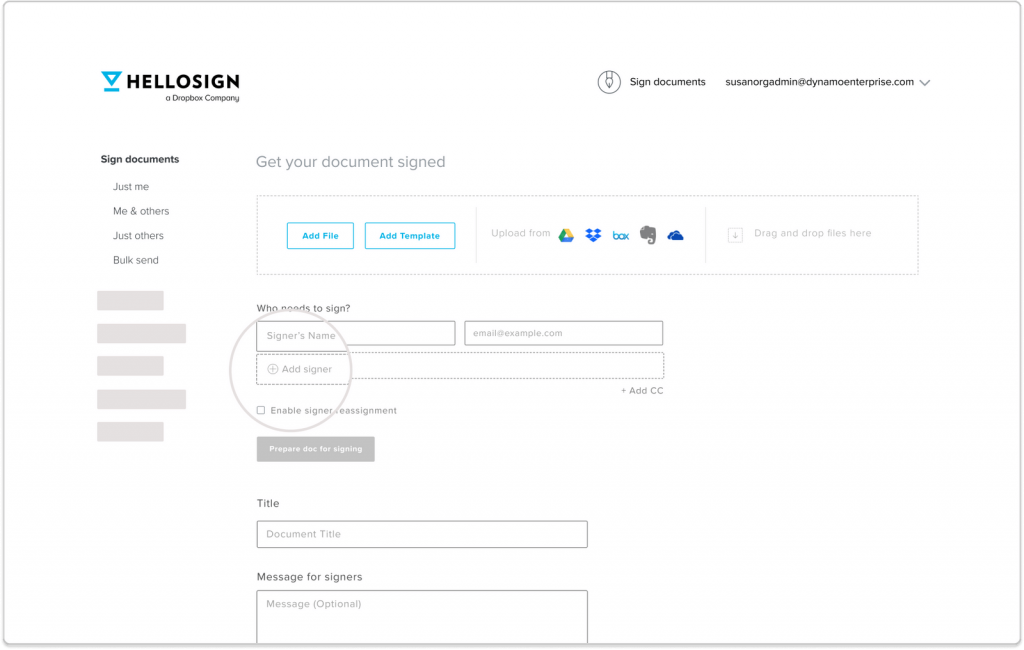
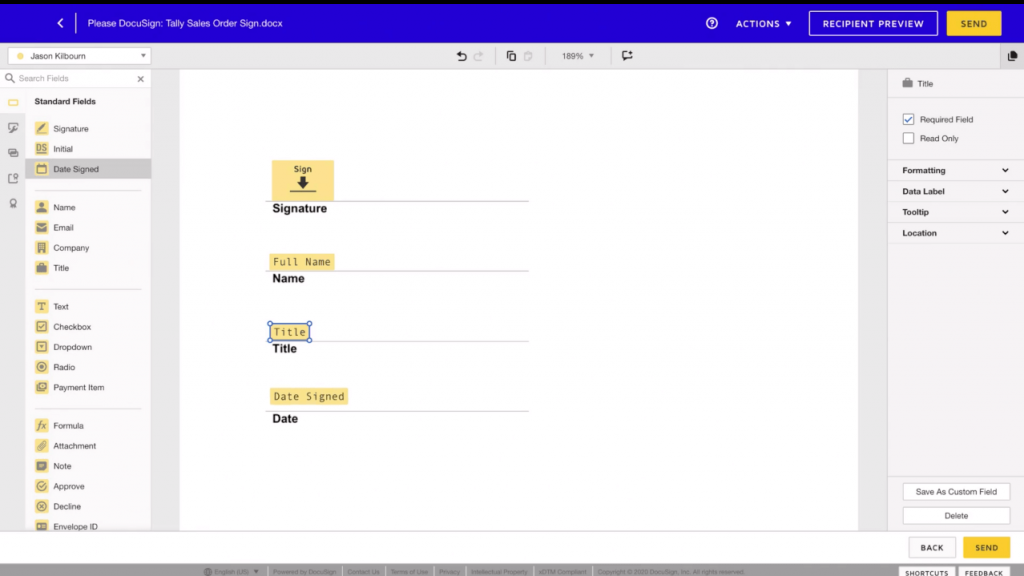
Support differs by plan. Dropbox Sign says all customers get email and chat support, and DocuSign lists round-the-clock live technical support under its Enhanced plans. Dropbox Sign supports 22 languages end to end, and DocuSign supports signing in 44 or more.
Which integrations and API does each offer?
DocuSign lists more than 1,000 pre-built integrations, and Dropbox Sign lists Google Drive, Microsoft Word and HubSpot on all plans. Salesforce is the deciding integration for many teams. Dropbox Sign offers it on Standard and Premium as an add-on at extra cost, and DocuSign lists document generation from Salesforce under its Enhanced plans.
The API prices differ in transparency. Dropbox Sign publishes API plans, DocuSign doesn’t.
| API plan | Monthly | Yearly | Included volume |
|---|---|---|---|
| Dropbox Sign API Essentials | $75 a month | $900 billed yearly | From 50 signature requests a month |
| Dropbox Sign API Standard | $250 a month | $3,000 billed yearly | From 100 signature requests a month |
| Dropbox Sign API Premium | Custom quote | Custom quote | From 100 signature requests a month |
| DocuSign API | No published price | No published price | Quote through sales |
Dropbox Sign also offers a free test mode for building and testing. If you plan to embed signing in your own app, see how DocuSign’s competitors price their APIs before you request a quote.
How do security, compliance and legality compare?
Both tools publish SOC 2 and ISO 27001 compliance, DocuSign adds FedRAMP Moderate authorization, and Dropbox disclosed a breach of Dropbox Sign in 2024. Dropbox Sign lists SOC 2 Type II, ISO 27001, eIDAS and GDPR, with AES 256-bit encryption at rest. DocuSign lists ISO 27001, SOC 1 Type 2, SOC 2 Type 2, PCI DSS, GDPR and FedRAMP Moderate. Every DocuSign plan includes a real-time audit trail, and so does every Dropbox Sign plan.
| Security item | Dropbox Sign | DocuSign |
|---|---|---|
| Certifications and standards listed | SOC 2 Type II, ISO 27001, eIDAS, GDPR | ISO 27001, SOC 1 Type 2, SOC 2 Type 2, PCI DSS, GDPR, FedRAMP Moderate |
| Encryption | AES 256-bit at rest | Encryption standards listed, no key length on the comparison page |
| Audit trail | All plans | All plans, real time |
| Disclosed incident | Unauthorized access to the production environment, April 24, 2024 | Not assessed on this page, see our DocuSign security guide |
The 2024 incident is the most recent disclosed event on the Dropbox Sign side. In an SEC filing dated May 1, 2024, Dropbox said it became aware of unauthorized access to the Dropbox Sign production environment on April 24, 2024. The attacker accessed emails and usernames of all users, and phone numbers and hashed passwords for some. Dropbox said it found no evidence that agreements, templates or payment information were accessed. For a deeper look at the other side, read our DocuSign security guide.
Legal validity is similar for both. Under the ESIGN Act, 15 U.S.C. 7001, a signature or contract can’t be denied legal effect only because it is in electronic form. The audit trail each tool records helps you show who signed and when. This section describes the general rule and isn’t legal advice for your situation.
Which one should you choose?
Choose by send volume first, then by the integration or compliance feature you can’t do without. The table maps common situations to a starting choice.
| Your situation | Better fit | Why |
|---|---|---|
| Fewer than 3 sends a month | Dropbox Sign free plan or DocuSign Personal | The free plan covers 3 requests at no cost, and Personal at $10 covers up to 5 envelopes a month |
| About 8 sends a month or less per user, plus Salesforce or notarization needs | DocuSign Standard at $25 per user | It fits inside the 100-envelope yearly cap and lists the extra features |
| More than 8 sends a month per user, simple needs | Dropbox Sign Essentials or Standard | Unlimited requests at $15 or $25 per user |
| Complex routing, signing groups or remote online notarization | DocuSign | DocuSign lists these and Dropbox Sign’s pricing page doesn’t |
| Embedded signing in your own app | Dropbox Sign API Essentials, or a DocuSign quote | A published $75 a month plan against a quote with no list price |
Count your sends over a full year before you buy, because it’s the quickest way to avoid a surprise. Teams that sign contracts in bursts often hit a yearly cap in a single quarter.
Is Signaturely a good alternative to both?
Signaturely is a smaller e-signature tool with published prices and no send cap on its Business plan. Disclosure: Signaturely is our product. Personal costs $25 a month, or $240 billed yearly, with 5 signature requests a month and 1 template. Business costs $50 per user a month, or $480 per user billed yearly, with unlimited signature requests and templates, team management and custom branding. After the free trial you keep a free account that sends 1 document a month.
Signaturely costs more per seat than Dropbox Sign Standard, so it fits teams that want the contract template library or unlimited requests without a two-user minimum. Compare the details in our Signaturely vs DocuSign page or the wider best e-signature software comparison.
HelloSign vs DocuSign FAQs
No, they are separate companies. HelloSign is now Dropbox Sign and belongs to Dropbox, while DocuSign is an independent company.
HelloSign is now called Dropbox Sign. The rename started in October 2022 and also changed HelloFax to Dropbox Fax and the HelloSign API to the Dropbox Sign API.
Dropbox Sign Essentials costs $15 a month on yearly billing for one user, and Standard costs $25 per user a month for two or more users. A free plan sends 3 signature requests per month.
No neutral ranking exists, and the answer depends on the measure. PandaDoc calls DocuSign, Adobe Acrobat Sign and Dropbox Sign the most-compared e-signature platforms, and our DocuSign competitors list covers more.
Both produce electronic signatures that the ESIGN Act recognizes, provided the parties intend to sign and agree to do so electronically.