



PandaDoc costs less than Signaturely on its entry plan and more on its team plan: Starter is $19 per seat a month billed annually against $20 for Signaturely Personal, and PandaDoc Business is $49 per seat against $40 per user for Signaturely Business. PandaDoc has the bigger free plan (5 documents a month against 1) and the wider toolset for proposals, quotes and payments. Signaturely is the simpler signing tool, with unlimited templates and branding on one team plan.
Signaturely vs PandaDoc at a glance
Both tools send documents for legally binding signatures and keep an audit trail. PandaDoc is a document workflow platform built around proposals and quotes, while Signaturely focuses on getting documents signed.
| Signaturely | PandaDoc | |
|---|---|---|
| Free plan | 1 document per month after the 7-day trial | 5 documents per month |
| Cheapest paid plan | Personal, $20 a month billed annually ($25 monthly) | Starter, $19 per seat a month billed annually ($35 monthly) |
| Team plan | Business, $40 per user a month billed annually ($50 monthly) | Business, $49 per seat a month billed annually ($65 monthly) |
| Signature requests on paid plans | Personal 5 per month, Business unlimited | Unlimited on Starter and Business |
| Templates | Personal 1, Business unlimited | Up to 5 on Free and Starter |
| Custom branding | Business | Business and above |
| Proposals, quotes, payments | Not listed on the pricing page | Business and above |
| Free trial | 7 days | 14 days on Starter, demo request for Business |
| Top tier | None | Enterprise, per-seat or per-document quote |
Prices come from the Signaturely pricing page and the PandaDoc pricing page. Our PandaDoc pricing guide covers every PandaDoc plan in detail.
How much do Signaturely and PandaDoc cost?
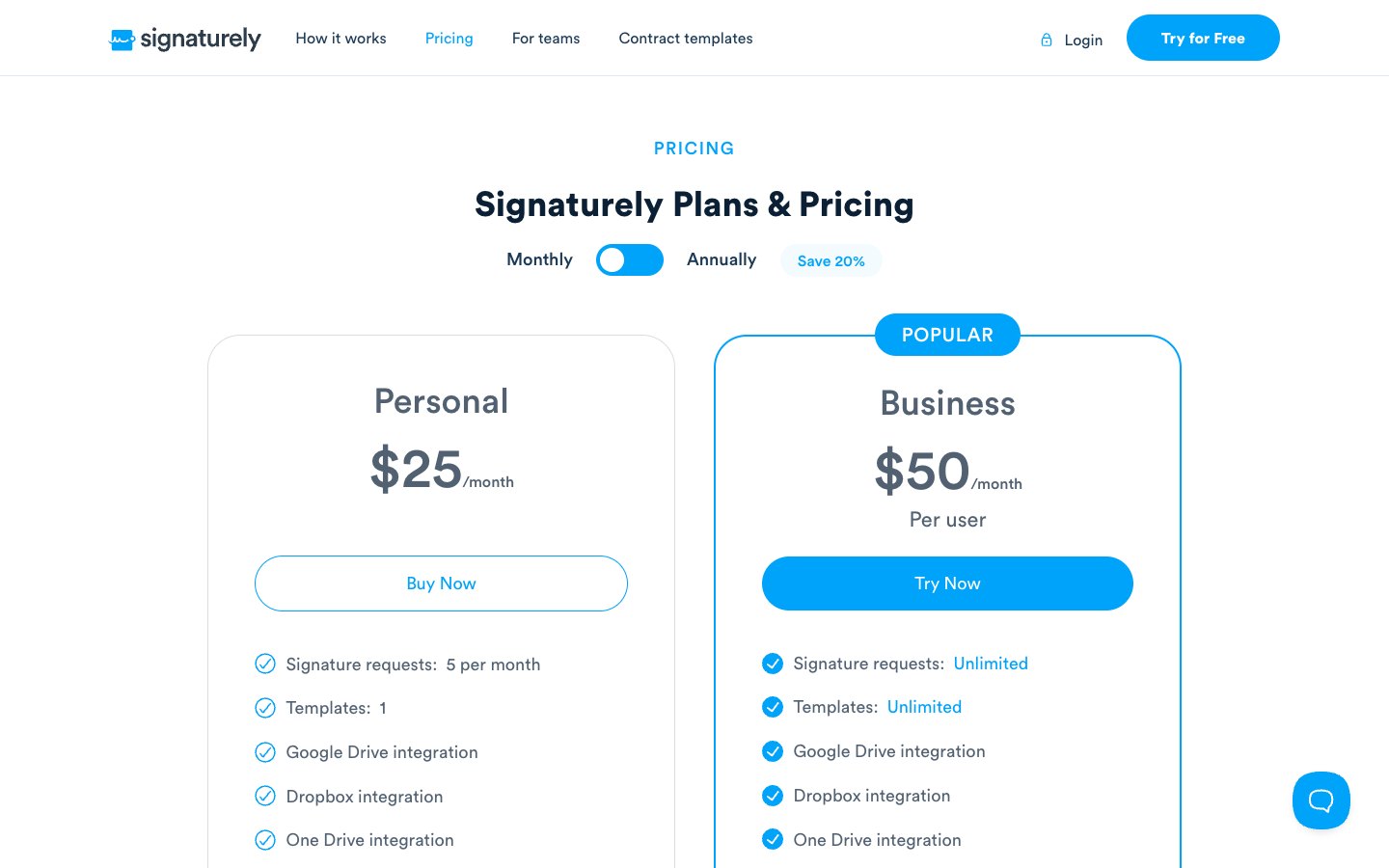
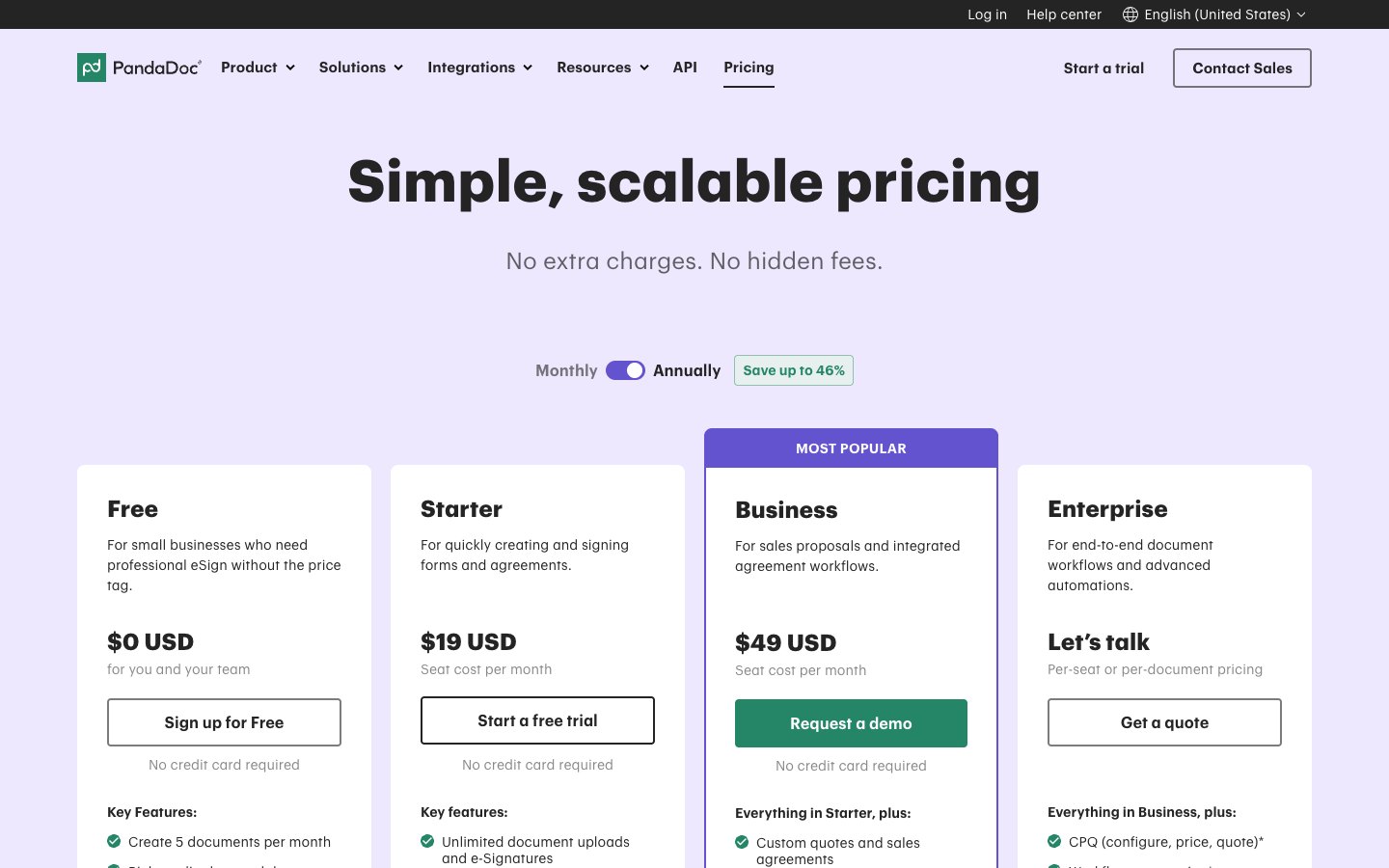
PandaDoc Starter costs $19 per seat a month billed annually, which is $1 less than Signaturely Personal at $20. The gap flips on team plans: Signaturely Business costs $40 per user a month and PandaDoc Business costs $49 per seat, both billed annually.
The plans are not equal. Signaturely Personal allows 5 signature requests and 1 template a month, while PandaDoc Starter allows unlimited eSignatures and up to 5 templates. Starter doesn’t list custom branding or approval workflows, which PandaDoc puts on Business. Signaturely Business includes unlimited requests, unlimited templates, team management and custom branding.
Signaturely plans
PandaDoc plans
What a team pays per year
The table multiplies each annual per-seat price by the number of seats. Signaturely uses Personal for 1 sender and Business for teams. PandaDoc is shown on Starter and on Business because the two plans differ in branding, approvals and CRM integrations.
| Seats | Signaturely per year | PandaDoc Starter per year | PandaDoc Business per year |
|---|---|---|---|
| 1 | $240 (Personal) | $228 | $588 |
| 5 | $2,400 (Business) | $1,140 | $2,940 |
| 10 | $4,800 (Business) | $2,280 | $5,880 |
For a branded team plan, Signaturely Business costs $108 less per user a year than PandaDoc Business ($480 against $588), which is $540 less for 5 users. PandaDoc Starter is the cheapest option in the table, but it lists no custom branding, approval workflows or CRM integrations.
Monthly billing raises both bills. Signaturely Business costs $600 per user a year at $50 a month, and PandaDoc Business costs $780 per seat at $65 a month. Annual billing saves 20% on both Signaturely plans ($240 against $300 a year for Personal, $480 against $600 for Business). PandaDoc’s pricing page advertises savings of up to 46% on annual billing.
Extra costs on PandaDoc
PandaDoc adds costs outside the plan price, and Signaturely’s pricing page lists none of these:
- Usage credits: Documents created through the API, Zapier, Make, forms or bulk send use usage credits. Starter and Business include trial credits for first-time customers, then credit packs apply.
- API overage: When credits run out, API document creation pauses until you add credits or upgrade. Other automations bill overage at the per-unit price on your order form, or up to $5 per document if the form names no price.
- Add-ons: CRM integrations, web forms and bulk send are marked on the pricing page as requiring usage credits or a paid add-on. Notary starts at $69 per user a month plus $10 per notarial transaction when you bring your own notary, according to PandaDoc’s notary pricing.
- API plan: A separate API Developer plan costs $40 a month for 40 documents a month after a 14-day trial, according to PandaDoc’s API pricing.
A team that sends every document by hand from the web app avoids most of these costs. A team that automates document creation should add them to the seat math above.
Free plans compared
PandaDoc has the bigger free plan: 5 documents a month for you and your team, with a rich media editor, real-time tracking and 24/7 email and chat support. Signaturely gives you a 7-day trial with unlimited documents, then a free plan that allows 1 document a month.
Both free plans fit a person who sends a contract once in a while. A freelancer who sends 3 client contracts a month gets through the month on PandaDoc Free but runs out on Signaturely Free after the first document. A growing workload moves you to a paid plan on either tool. PandaDoc’s Starter trial lasts 14 days and needs no credit card, and Business starts with a demo request.
Features and limits compared
The tools share a core: send a document, add signature fields, collect signatures from any device and keep a record of every action. The differences sit in templates, sales features, team features and add-ons.
Templates and signature requests
Templates are where Signaturely Business pulls ahead. Business includes unlimited templates, while PandaDoc lists up to 5 templates on Free and Starter. Signaturely Personal is the tightest plan in the comparison, with 1 template and 5 signature requests a month.
PandaDoc paid plans have no limit on eSignatures sent from the web app. That makes Starter the better value for a single sender with a steady volume of documents and no need for branding.
Proposals, quotes and payments
PandaDoc is stronger here. Its Business plan adds custom quotes and sales agreements, and its plan comparison lists pricing tables, a product catalog and payment collection. Deal rooms and a content library help sales teams assemble and track proposals in one place.
Signaturely’s pricing page doesn’t list quotes, pricing tables or payment collection. Signaturely suits contracts, agreements and forms that need a signature, with a library of free contract templates beside the signing tool.
Teams, seats and branding
Signaturely Business is billed per user and lists no seat minimum, so one person can run it. It adds team management and custom business branding. PandaDoc charges per seat on Starter and Business, and moves custom branding, approval workflows and a content library to Business. Single sign-on and team workspaces start on Enterprise.
Integrations and API
Signaturely lists Google Drive, Dropbox, OneDrive and Box integrations on every plan. PandaDoc lists CRM integrations on Business, with some integrations marked as paid add-ons. PandaDoc also offers an API and connectors that let AI assistants such as Claude and ChatGPT use PandaDoc, which it describes as beta and free on all plans for a limited time.
Teams that live in a CRM get more from PandaDoc. Teams that keep documents in cloud storage find what they need on Signaturely.
Security and compliance
Both tools publish a security story, and neither is a weak option for ordinary business contracts. The named details differ, so check them against your industry’s rules.
Check the Signaturely security page and PandaDoc’s pricing page for the plan that includes each control.
Which tool fits which team?
PandaDoc is the better value when proposals, quotes or a CRM are part of the job, or when 5 free documents a month cover your volume. Signaturely fits people who want a short plan list, unlimited templates on one team plan and an easy start.
DocuSign is the third name buyers often weigh against both tools. Its Personal plan costs $10 a month billed annually and covers 5 envelopes a month, so it is cheaper than Signaturely Personal on paper but caps volume like it. Our Signaturely vs DocuSign page covers that match-up. For other PandaDoc comparisons see PandaDoc vs DocuSign, PandaDoc vs signNow and the list of PandaDoc alternatives.
Frequently asked questions
PandaDoc Starter costs $19 per seat a month billed annually ($35 billed monthly). Business costs $49 per seat billed annually ($65 monthly), and Enterprise is a custom quote. A free plan allows 5 documents a month.
It depends on the plan. PandaDoc Starter costs $1 less a month than Signaturely Personal when both bill annually ($19 against $20). Signaturely Business costs $9 less per user a month than PandaDoc Business ($40 against $49).
After a 7-day trial that allows unlimited documents, the free plan allows 1 signed document a month.
The free plan allows 5 documents a month for you and your team. It includes a rich media editor, real-time tracking and limited API access. Paid plans add unlimited eSignatures and, on Business, CRM integrations and approvals.
PandaDoc includes legally binding eSignatures, but it positions itself as a document workflow platform for proposals, quotes and contracts. Signaturely focuses on signing documents and keeping the record.
DocuSign Personal costs $10 a month billed annually for 5 envelopes a month. For teams, PandaDoc Starter at $19 per seat and Signaturely Business at $40 per user are the annual per-seat prices to weigh against DocuSign’s team plans. Our PandaDoc vs DocuSign page compares those two.
For contracts, agreements and forms that need signatures, yes. For quotes, pricing tables, payment collection and deal rooms, PandaDoc has features that Signaturely’s pricing page doesn’t list.
An eSignature is a legally binding signature applied electronically, and DocuSign is one company that sells software for it. DocuSign, PandaDoc and Signaturely all send documents for eSignatures. Our guide explains why a typed signature is legally binding.
Signaturely, PandaDoc, DocuSign and signNow all handle online signing for business contracts. They differ in price per seat, free plan limits and extras such as proposals or CRM integrations. Our list of the best e-signature software ranks them side by side.