


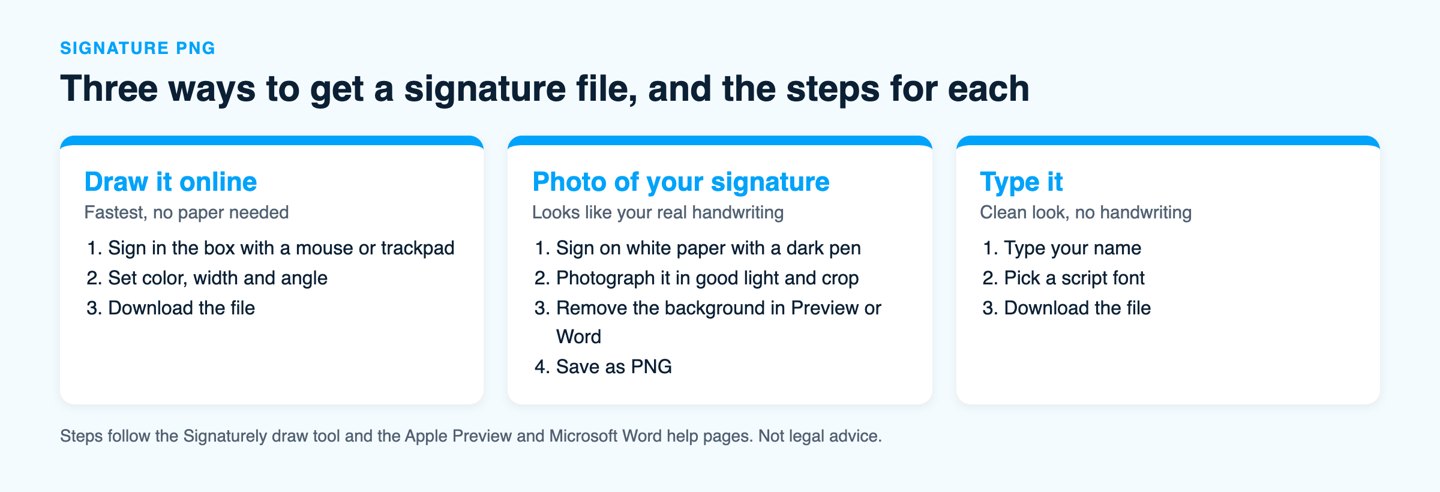
A signature PNG is an image of your signature saved as a PNG file, usually with a transparent background so it sits cleanly on any document. The fastest way to get one is to draw your signature in a free online tool and download it, or to photograph a signature written on white paper and remove the background.
What is a signature PNG?
A signature PNG is a picture of your signature stored in the PNG format, which supports transparency. Transparency matters because a signature with a white box around it covers the text or the colored background behind it, while a transparent PNG shows only the ink.
MDN’s image format guide notes that PNG is preferred over JPEG when transparency is needed. That is why a signature saved as a JPG almost always arrives with a white background.
| Method | What you start with | Best for | Effort |
|---|---|---|---|
| Draw it online | A mouse, trackpad or touch screen | A new signature in under a minute | Low |
| Photo of a paper signature | A pen, white paper and a phone camera | A signature that looks like your real handwriting | Medium |
| Type it | Your name and a script font | A clean look when handwriting does not matter | Low |
How do you make a signature PNG by drawing it?
Open a free online signature tool, draw your signature with your mouse, trackpad or finger and download it. Signaturely’s free draw tool lets you pick the ink color and set the line width and angle, then use the Download eSignature button. The file it saves is a PNG with a transparent background (the file is named signature.png).
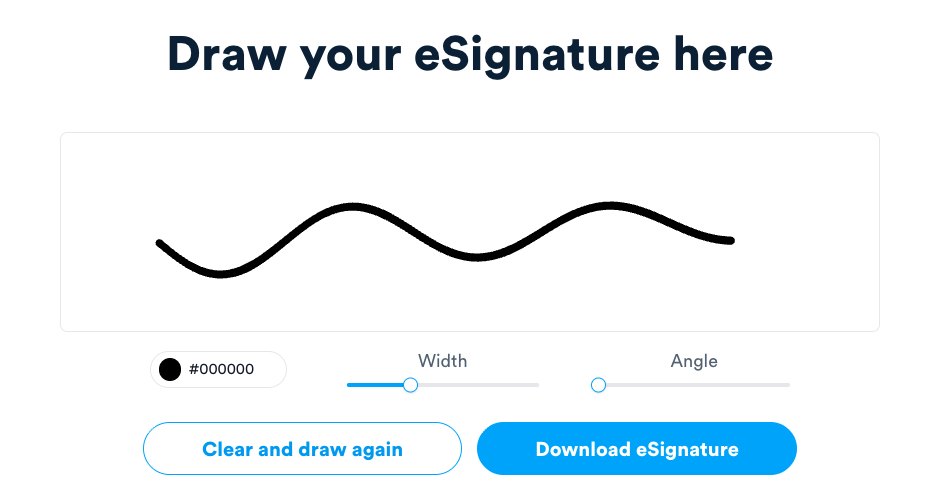
- Open the draw tool and sign inside the box with your mouse or trackpad.
- Set the color, width and angle until the signature looks right.
- Clear the box and redraw if the first try is shaky, since a small change in speed changes the line.
- Download the file and open it on a colored background to check that no white box shows.
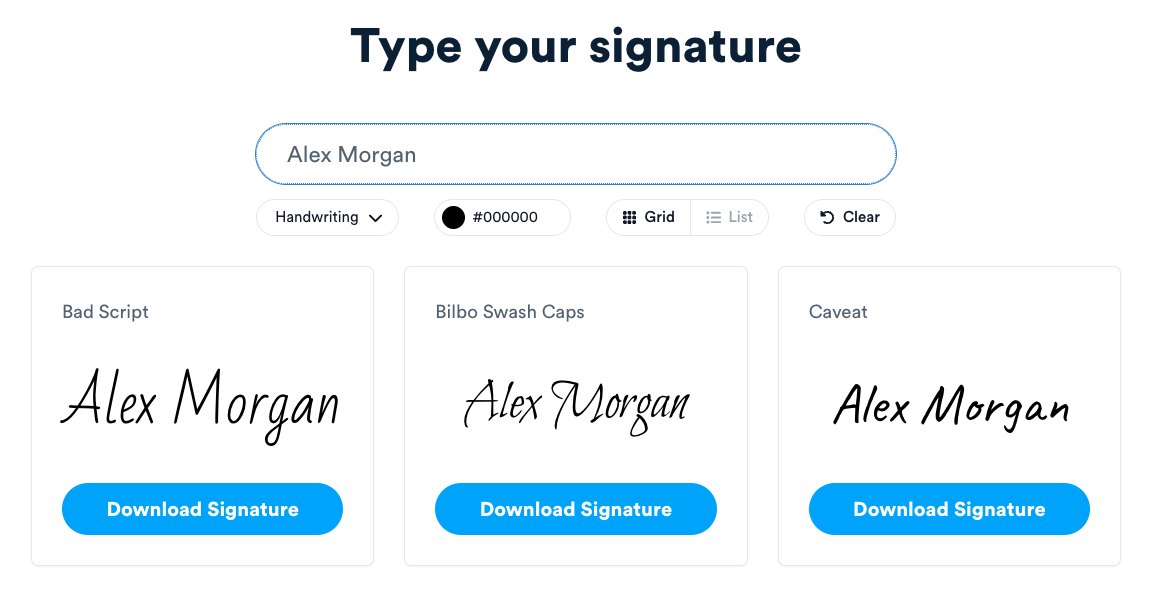
If you would rather not draw, the type option shows your name in a grid of handwriting styles such as Bad Script, Caveat and Dancing Script. You can change the color and each style has its own Download Signature button.
How do you turn a photo of your signature into a PNG?
Sign with a dark pen on plain white paper, take a sharp photo in good light, crop close to the ink and remove the background. Most free background removers do this in one click, and two tools you may already own do it too: Preview on a Mac and Microsoft Word.
On a Mac with Preview. Open the image in Preview and click the Remove Background button in the toolbar. Apple’s Preview guide says Preview may ask to convert the file to PNG, so you can duplicate the original first or convert it. If the background is mostly one color, Instant Alpha also works: drag across the background and press Delete.
In Word on Windows or Mac. Insert the photo, select it and choose Picture Format, then Remove Background. Word marks the background in magenta, and you can refine it with Mark Areas to Keep and Mark Areas to Remove before you choose Keep Changes. Microsoft’s instructions then say to right-click the picture and use Save as Picture to store it as its own file.
Word also has Set Transparent Color under Picture Format, Color. It makes only one color transparent, so it suits a clean white background and not a photo with shadows.
How do you add a signature PNG to a Word document?
Place the cursor where the signature goes, choose Insert, then Pictures, and pick your signature file. Drag a corner handle to resize it, and keep the picture inline or set text wrapping to In Front of Text so you can move it onto the signature line.
For a PDF, an e-signature tool is simpler than editing the file. Our guide to uploading a signature and the one on making a digital signature in a PDF cover those steps.
Is a signature PNG a legally valid signature?
A signature PNG can count as an electronic signature when you place it on a document with the intent to sign. The federal E-SIGN Act defines an electronic signature as an electronic sound, symbol or process attached to or logically associated with a record and executed or adopted by a person with the intent to sign it.
The same law says a signature or contract may not be denied legal effect, validity or enforceability solely because it is in electronic form. So the image itself is not the problem.
The weak point is proof. A picture pasted into a file shows no record of who placed it, when or on which version of the document. If the signer later says they never agreed, you have only an image. Our page on whether a typed signature is legally binding and the E-SIGN Act guide explain how courts look at intent.
When should you use an e-signature tool instead of a PNG?
Use an e-signature tool when the document matters enough to need a record of who signed and when. A signature PNG is fine for an informal letter or an internal form. For a contract, an offer letter or anything a counterparty may question, a tool adds a signer record and an audit log that an image cannot.
Signaturely has a free plan with 1 document a month after the 7-day trial. Personal costs $20 a month billed annually ($25 billed monthly, or $240 a year) for 5 signature requests a month, and Business costs $40 per user a month billed annually ($50 billed monthly, or $480 a year per user) with unlimited signature requests. Both paid plans include an audit log and reminders. Check the pricing page for current rates.
Frequently asked questions
Draw it in a free online tool and download it, or photograph a signature on white paper and strip the background in Preview on a Mac or in Word. Keep the file as a PNG so the transparency survives.
A PNG can have a transparent background and a JPG cannot. A JPG signature keeps a white box around the ink, which shows on colored or patterned documents.
You can. Write the signature on white paper, take a sharp photo, crop it and remove the background, then save the file as PNG.
Select the picture, choose Picture Format and then Remove Background, and mark the areas to keep. Word’s Set Transparent Color tool also works when the background is one plain color.
A signature image can count as an electronic signature when it is adopted with the intent to sign. Because an image alone leaves no record of who signed and when, an e-signature tool gives stronger proof.