
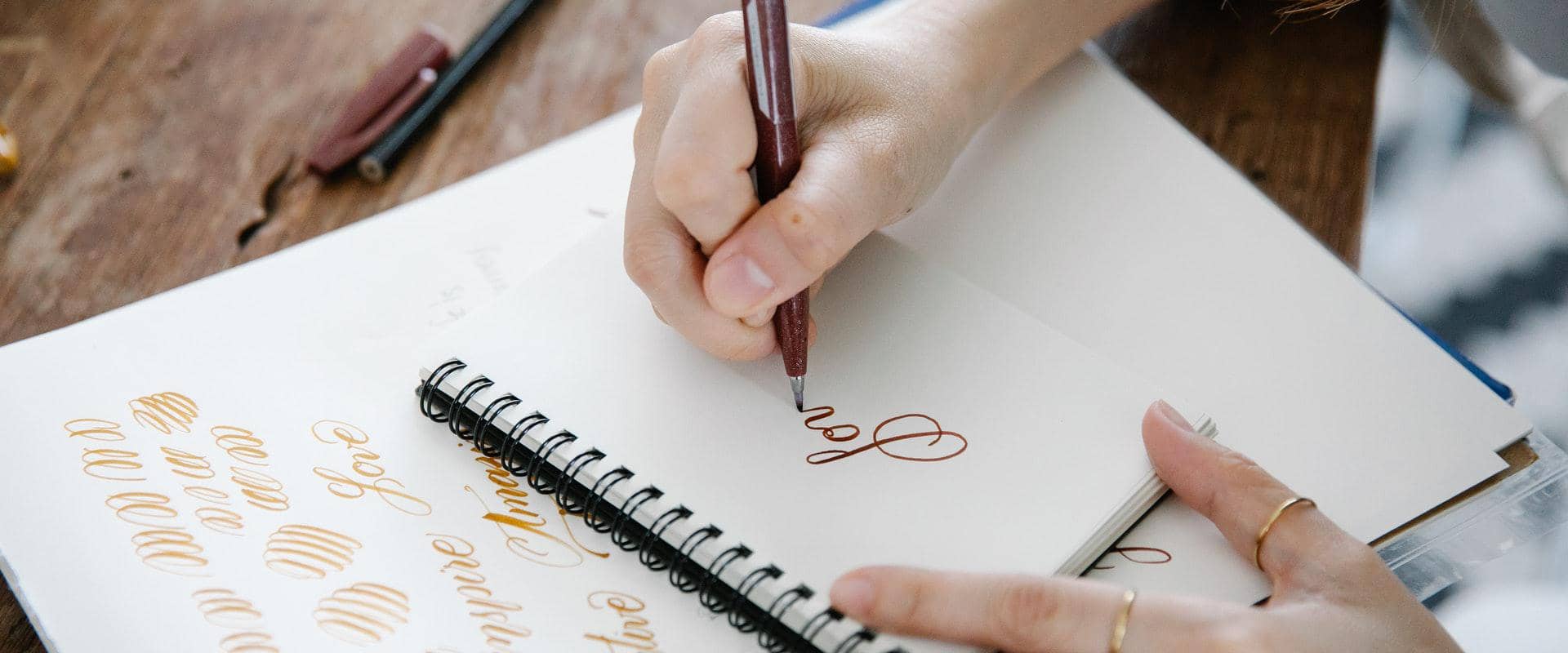


To sign your name in cursive, start with a clear capital letter, connect the rest of the letters, and keep the shape simple enough to repeat. Your signature does not need perfect cursive. It just needs to feel like yours and stay close to the same shape each time you sign.
A good way to start is to test three versions of your name: your full name, your last name, and your initials. Pick the one you can write fast without losing the shape. Once you have that, you can turn it into a digital signature for online documents.
How to Sign Your Name in Cursive
A good cursive signature starts with a clear capital letter and a shape you can repeat. Put most of the detail in the first letter or two. Then let the rest of the name flow without adding lines you do not need.
- Choose whether you want to sign your full name, your last name, or your initials.
- Make the capital letters the most distinctive part of the signature.
- Keep the middle letters simpler than normal handwriting so the signature flows.
- Write it repeatedly until you can reproduce the same shape without thinking.
- Save or redraw that version digitally if you need to sign documents online.
How to Choose a Cursive Signature Style
The right signature style depends on your name and how you plan to use it. Some people want a full signature for formal documents. Others want a short version they can write fast. If you are not sure where to start, test your full name, your last name, and your initials.
Sign Your Full Name
Signing your full name in cursive is the standard choice. It fits best if your name is short enough to write without rushing or if you want a more formal look for contracts, business documents, and letters.
To make a full-name signature easier to write, put most of the style in the first capital of your first name and last name. Keep the letters in the middle lighter and faster. That helps the signature look personal without making every letter hard to write.
Use Your Last Name
If your full name feels too long, build the signature around your last name. This keeps the shape shorter, gives you room for a clear opening capital, and makes the signature easier to repeat.
This is a solid middle ground if you want a signature that still looks professional but does not ask you to write every letter each time.
Use Your Initials
If speed matters most, your initials may be the best choice. Initial-based signatures are short, easy to remember, and easier to repeat than a long full-name signature.
You can also pair one clear capital with a short trailing line or flourish. This keeps the signature personal without making it hard to repeat.
How to Practice Your Signature in Cursive
Practice your signature by keeping the first letters clear, connecting the middle letters, and repeating the same motion until it feels natural. The goal is not to write one perfect version. The goal is to write a version that still looks like your signature each time you use it.
Start With the Capital Letters
The opening capital letters do most of the work in a cursive signature. Make them a bit larger or more distinct than the rest of the name. This helps the signature stand out even when the next letters get faster and looser.
Keep the Middle of the Name Simple and Connected
Once the first capital is set, keep the middle of the signature moving. You do not need perfect classroom cursive. Many signatures simplify the middle letters so the pen can keep moving.
Try to keep the same slant and shape each time you sign. Smooth connections look better than slow, overdrawn letters.
Test Speed and Consistency
Once you have a version you like, write it again and again until it stops feeling forced. If it only looks good when you write slowly, simplify it. A signature should work on paper, on a trackpad, and on a phone screen.
If some letters still feel awkward, look at a cursive alphabet guide once, then go back to your name. Practice only the letters you need. That works better than trying to learn the whole alphabet before you build your signature.
- If the signature feels cramped, remove extra loops.
- If it looks plain, strengthen the first capital rather than adding flourishes everywhere.
- If it changes every time, shorten it until the pattern becomes reliable.
How to Create a Digital Cursive Signature
Once you have a handwritten version you like, you can turn it into a digital signature for online documents. The easiest ways to do that are to draw it, type it, or upload it into a signature tool.
Try a Simple Cursive Signature Generator
If you want to test a few looks before you save a final signature, use the generator below. Type your name, pick a style, and download the version that feels right.
Cursive Signature Generator
Type your name, choose a style, and save the version you want to use.
Tip: short names and initials tend to work best in typed cursive. Use this as a starting point, then redraw the version you want to keep.
Draw It
Draw your signature if you already know how you want it to look. You can use a mouse, trackpad, phone, or tablet with an online signature drawing tool to recreate your handwritten version.
Type It
Type your name into a signature maker if you want to test styles fast. This also works well if you need a clean digital signature right away and do not want to redraw it each time.
Upload It
If you already have a handwritten signature on paper, scan it or take a photo and upload it to a signing tool. That gives you a reusable version for online forms and agreements. If you need to place that signature on a file right away, this guide on how to sign a document online shows the next step.
Does a Signature Have to Be in Cursive?
No. A signature does not have to be in cursive to be valid. As explained in Signaturely’s guide to legal signatures, a signature can be the mark you adopt to sign documents, whether that is cursive, printed letters, initials, or a more stylized version of your name.
Many people still prefer cursive because it feels personal and moves faster once they get used to it. If you do not know formal cursive, you can still build a signature from a few connected letters and a shape you can repeat.
FAQs About Signing Your Name in Cursive
These are the questions people ask most after choosing a cursive signature style.
Pick the version of your signature you want to keep, then write it until the same capitals, spacing, and ending show up each time. If it only works when you write slowly, make it simpler.
Yes. Many people use initials instead of a full name when they want a signature that is faster to write and easier to repeat. The key is to keep the shape consistent.
Yes. You can draw it in an online signature maker, type a version of it, or upload an image of your handwritten signature to use when signing documents online.