



Jotform Sign and DocuSign solve the same job in different ways. Jotform Sign is bundled into Jotform’s form plans, starts free with 10 signed documents a month and costs $34 per month on the first paid plan, but every Jotform plan below Enterprise is a single-user plan. DocuSign sells e-signature on its own, starting at $10 per month for one user with 5 envelopes a month, and adds team seats, bulk send and payments on higher plans. Jotform Sign fits solo senders and form-driven workflows. DocuSign fits teams that need per-user seats and a broad integration catalog.
Jotform Sign vs. DocuSign at a glance
| Jotform Sign | DocuSign | Signaturely | |
|---|---|---|---|
| How it is sold | Inside Jotform form plans | Standalone e-signature plans | Standalone e-signature plans |
| Free plan | Yes, 10 signed documents per month | No, free trial only | Yes, 1 document per month after a 7-day trial |
| Entry paid price | Bronze $34/mo annual ($39 monthly) | Personal $10/mo annual ($15 monthly) | Personal $20/mo annual ($25 monthly) |
| Mid plan | Silver $39/mo annual ($49 monthly) | Standard $25/user/mo annual ($45 monthly) | Business $40/user/mo annual ($50 monthly) |
| Top listed plan | Gold $99/mo annual ($129 monthly) | Business Pro $40/user/mo annual ($65 monthly) | Business above is the top plan |
| Sending limit | 10, 100, 250 or 1,000 signed documents per month by plan | 5 envelopes per month on Personal, 100 per user per year on Standard and Business Pro | 5 requests per month on Personal, unlimited on Business |
| Team seats | One user per plan, multiuser only on Enterprise | Per-user seats from Standard | Per-user seats on Business |
Introducing Jotform Sign vs. DocuSign
Both tools let you upload a document, place signature fields, send it to signers by email and keep the signed copy. The difference is the product around the signature. Jotform Sign sits next to Jotform’s form builder, tables and workflow tools, so a signed document can be the end of a form or an approval flow. DocuSign is built around the envelope, the package of documents sent to signers, and prices it per user and per envelope.
This comparison covers what each tool is, how they differ on features, integrations and security, and what they cost once the sending limits are included.
What is Jotform Sign?
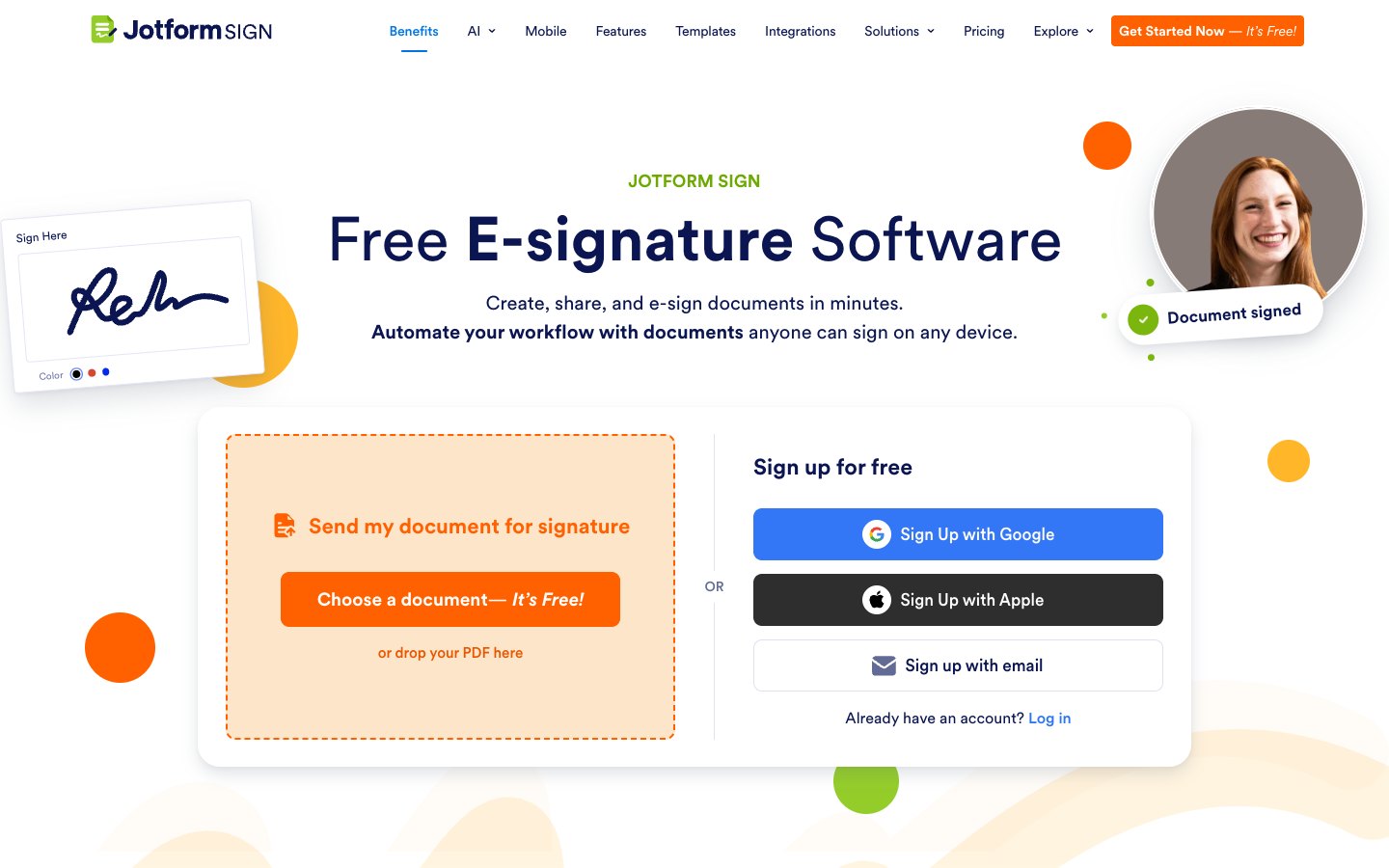
Jotform Sign is Jotform’s electronic signature product. You upload a document, add fields, assign signer roles and send it by email, by a shared link or by embedding it on a website. Jotform states that Jotform Sign meets the requirements of the ESIGN Act and UETA, and it offers more than 1,000 ready-made sign templates. Signed documents can be sent to connected cloud storage, and Jotform also lists a mobile app and Jotform Sign apps for ChatGPT and Claude.
What is DocuSign?

DocuSign is one of the best-known e-signature platforms and sells its eSignature product on its own. It’s built for signing documents online from any device, it connects to tools such as Google Drive, Dropbox and Salesforce, and it offers an API from the Standard plan. Envelope limits apply on every plan.
Jotform Sign vs. DocuSign: Head-to-Head Comparison
1. Ease of use
On both tools, a sender’s job is short: upload a file, drop fields onto it and send it. Jotform Sign keeps that flow short and adds a start page where you can drop a PDF before you sign up. DocuSign’s extra setup options help with complex envelopes and add a few clicks to a simple contract.
Winner: Jotform Sign for one-off signing, DocuSign for complex envelopes
2. Features
Jotform Sign’s feature set includes reusable templates, signer roles, reminder emails, a Sign Inbox with notifications, bulk sending guides and approval flows that route a document through reviewers before signing. It also reuses Jotform’s tables and report builder for the data collected in signed documents.
DocuSign’s Business Pro adds web forms, bulk send and payment collection, its Standard plan adds shared templates and custom branding, and its signer authentication options are wide.
Winner: DocuSign for signing workflows, Jotform Sign for form data around the signature
3. Integrations
Jotform Sign’s signed documents can go to cloud storage accounts, and it connects to CRM tools. Jotform also publishes a DocuSign widget, so a Jotform form can hand a document to DocuSign for signing. DocuSign’s catalog of connected apps is larger and its API starts on the Standard plan.
Winner: DocuSign
4. Security and legal validity
Jotform Sign’s stated compliance covers ESIGN and UETA, and HIPAA-enabled features are available on Jotform’s Gold plan and above. DocuSign’s published security list includes ISO 27001 certification, tamper-evident documents and several signer authentication options. If a regulated workflow or strict signer identity checks matter, DocuSign clearly has the broader published set.
Winner: DocuSign
5. Customer support
Jotform’s pricing page lists 24/7 customer support, and Enterprise adds dedicated support. DocuSign offers a knowledge base and ticketing on every plan, with higher support levels at extra cost.
Winner: Tie
Jotform Sign vs. DocuSign: Pricing
Jotform Sign costs less per signed document at the top of each plan, but you buy it inside a form plan, while DocuSign charges per user and caps envelopes. Jotform’s first paid plan costs $34 per month billed annually ($39 monthly) and DocuSign Personal is $10 per month billed annually ($15 monthly).
Jotform Sign plans, with the signed-document limit each one allows per month:
- Starter: free, 10 signed documents, 5 forms, Jotform branding on documents
- Bronze: $34 per month billed annually, $39 monthly, 100 signed documents, 25 forms
- Silver: $39 per month billed annually, $49 monthly, 250 signed documents, 50 forms
- Gold: $99 per month billed annually, $129 monthly, 1,000 signed documents, 100 forms, HIPAA-enabled features
- Enterprise: custom price, multiuser platform, SSO and dedicated support
DocuSign plans, shown per user per month with annual and monthly billing:
- Personal: $10 billed annually, $15 monthly, 5 envelopes per month
- Standard: $25 billed annually, $45 monthly, 100 envelopes per user per year
- Business Pro: $40 billed annually, $65 monthly, 100 envelopes per user per year
Dividing each annual price by the documents the plan allows gives a rough cost per signed document at full use. Jotform Bronze comes to about $0.34, Silver to $0.16 and Gold to $0.10. DocuSign Personal comes to $2.00, Standard to $3.00 and Business Pro to $4.80 per envelope. The two aren’t like for like, of course. Jotform’s limit is a monthly account total and the plan also covers forms and submissions, while DocuSign’s Standard and Business Pro limits are per user per year and each user needs a paid seat.
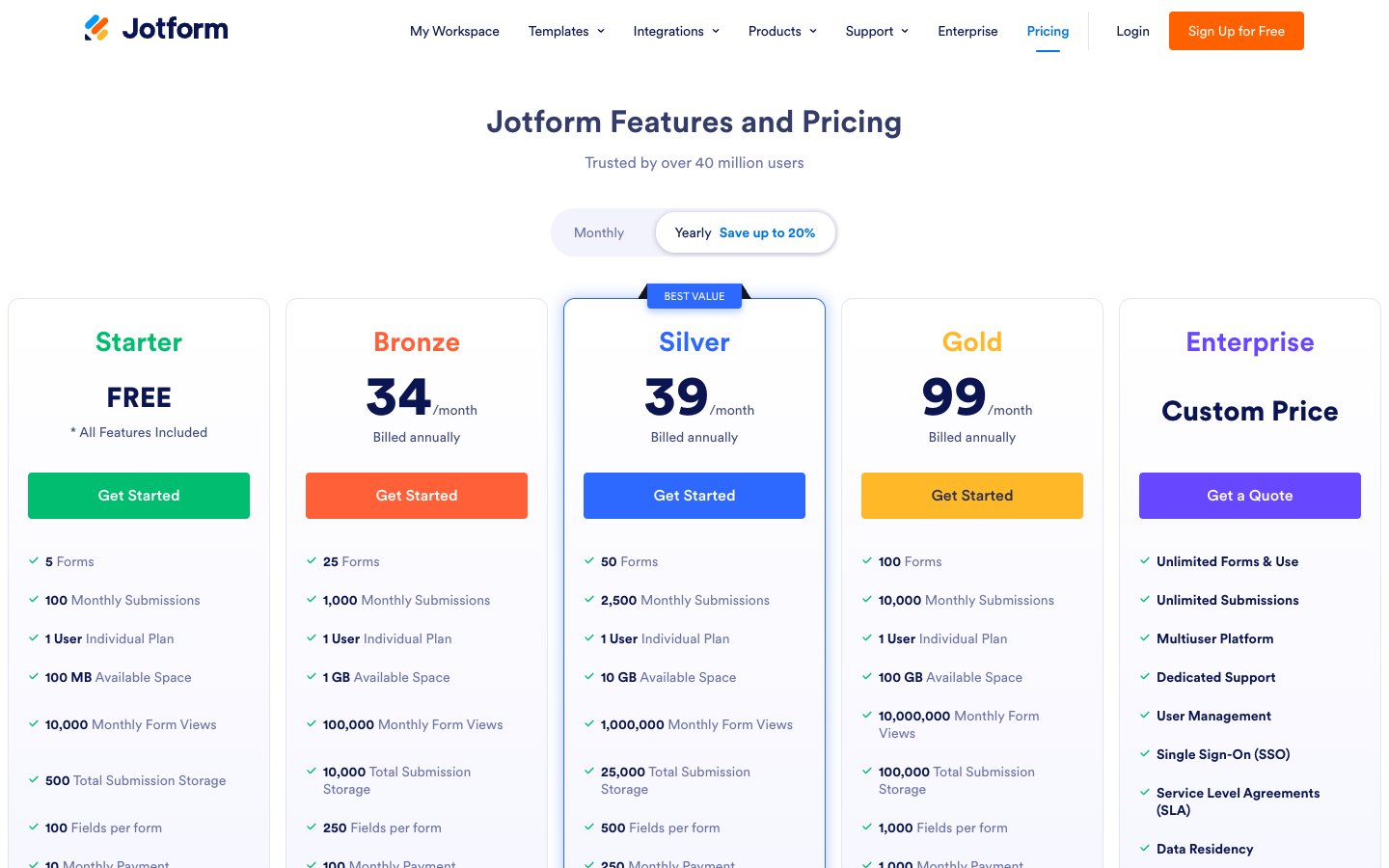
The team question changes the result. Because Jotform plans up to Gold are single-user plans, a team of three that all send documents would need three Jotform accounts or the custom-priced Enterprise plan. Three DocuSign Standard seats cost $75 a month on annual billing. For a single sender the free option differs too: Jotform’s free plan allows 10 signed documents a month and DocuSign doesn’t have one.
Winner: Jotform Sign for solo senders, DocuSign for teams
How Signaturely compares
Signaturely is an affordable DocuSign alternative built only for signing. Signaturely’s free account sends 1 document per month after the 7-day trial. Personal is $20 per month billed annually ($25 monthly) with 5 signature requests a month and 1 template. Business is $40 per user per month billed annually ($50 monthly) with unlimited signature requests and templates, team management and custom branding. See the Signaturely vs. DocuSign comparison for the full breakdown.
Which should you choose?
Pick Jotform Sign if you’re a single sender or already run Jotform forms and want the signature at the end of a form. Pick DocuSign if several people send documents or you’ll need bulk send, payments or a large integration catalog. For a lone sender the gap is plain: Jotform’s free plan is definitely the easier start.
Frequently asked questions
You upload a document, add signature and other fields, assign signer roles and send it by email or link. Signers sign on any device, and you can save the signed copy to connected cloud storage.
Jotform’s Starter plan is free and includes 10 signed documents per month. Signed documents on the free plan carry Jotform branding, which a paid plan removes.
Jotform’s paid plans start at $34 per month billed annually and DocuSign Personal starts at $10 per month billed annually. Jotform allows 100 signed documents a month on that first paid plan, while DocuSign Personal allows 5 envelopes a month.
Jotform offers a DocuSign widget that sends a document from a Jotform form to DocuSign for signing. That’s a good fit for teams that collect data in Jotform but already standardize on DocuSign for contracts.
Jotform states that Jotform Sign complies with the ESIGN Act and UETA, the two US laws that give electronic signatures the same legal weight as handwritten ones in most cases.