



Zoho Sign is cheap, and it works. If your team already runs on Zoho apps, it is a reasonable pick. Past that, the friction adds up fast: thin integrations outside the Zoho suite, a template editor that frustrates reviewers, slow support on standard plans, and a mobile signing flow that feels unfinished.
The same complaints surface across G2, Capterra, and Gartner Peer Insights, which is why most buyers shop a replacement before renewal.
This guide covers the ten best Zoho Sign alternatives in 2026. For each one you get features, real pricing, pros and cons pulled from verified G2, Capterra, and Gartner reviews, and a straight “best for” call. Scan the comparison table first, then drop into the individual write-ups.
What Is Zoho Sign?
Zoho Sign is the signing tool inside the wider Zoho apps stack. Signatures meet the ESIGN Act, eIDAS, and other global regulations, so they hold up in court. Where it shines is tight wiring into Zoho CRM, Zoho People, and the rest of the suite, backed by a free tier and prices that undercut most of the category.
The fundamentals are covered: templates, sequential signing, audit trails, recipient authentication, bulk send. That is enough for a small Zoho-native team. Outside that lane, buyers quickly want richer document management, stronger authentication, and workflow automation that can handle real complexity.
Why Should You Look For a Zoho Sign Alternative?
Zoho Sign fits one buyer well: a small or mid-sized team living inside Zoho apps, shopping on price. Push past that shape and five weak spots show up over and over in verified reviews.
1. Limited integrations outside the Zoho ecosystem
Pair Zoho Sign with Zoho CRM, Zoho People, or Zoho WorkDrive and it sings. Move outside that fence, and teams on Salesforce, HubSpot, Microsoft 365, or Google Workspace find the native hooks thinner than Dropbox Sign, DocuSign, or PandaDoc. Contracts that cross multiple tools slow down as a result.
2. Template and field-editor friction
Templates should save time. On Zoho Sign, G2 and Capterra reviewers keep flagging the builder and field editor as clunky next to Dropbox Sign or PandaDoc. Assigning fields to multiple signers eats clicks, and custom templates bend less than buyers expect.
3. Customer support delays
Support comes up again and again in Zoho Sign reviews on Gartner Peer Insights and G2, and not in a good way. Replies drag. There are no dedicated account managers on standard plans. Teams working across time zones want 24/7 coverage and solid training materials, and that is where the bigger tools pull ahead.
4. Mobile and signing-experience gaps
Phones matter more every year. Signeasy, Dropbox Sign, and DocuSign score better on mobile usability in Capterra reviews. Zoho Sign runs on a phone, but reviewers describe the signing flow as less polished than the desktop build.
5. Advanced workflow and automation limits
For basic or sequential signing, Zoho Sign is fine. The moment you need conditional routing, in-document payment capture, or sales enablement, most teams move on. PandaDoc, DocuSign, and Adobe Acrobat Sign go deeper on workflow automation and reporting.
What Are Key Features to Look For In Zoho Sign Alternatives?
Before you compare vendors, agree on what a “good” eSignature platform looks like for your team. These are the ten features that separate a true alternative from a lookalike.
1. Legal compliance and global coverage
Any serious digital signature platform must comply with the ESIGN Act in the U.S., eIDAS in the EU, and other global regulations. That makes signatures legally enforceable and gives you tamper-evident audit trails on every signed document.
2. User-friendly interface
A user-friendly interface is what gets adoption. Look for a straightforward interface for both senders and signers, with minimal training needed, so business documents move without a stall at the signature step.
3. Integration capabilities
Integrations decide whether your signing tool fits your document lifecycle. Strong alternatives offer seamless integrations with Google Drive, Google Workspace, Microsoft 365, Salesforce, HubSpot, and industry-specific CRM systems. Many also provide APIs so developers can embed signing directly into their apps.
4. Customizable workflows and automation
Sequential signing, parallel signing, conditional routing, automated reminders, and workflow automation turn a signing tool into a document-lifecycle tool. The best Zoho Sign alternative for your team depends on how complex your workflows need to be.
5. Document templates and creation tools
Reusable templates cut prep time for NDAs, offers, and contracts. Creation tools like drag-and-drop editors, rich-text editing, and embedded media (pricing tables, videos) matter most for sales teams sending professional documents.
6. Advanced authentication and audit trails
Look for two factor authentication, SMS verification, knowledge-based authentication, and government-ID checks. Every signed document should produce an audit trail with timestamps, IP addresses, and signer actions.
7. Custom branding
Add your company logo, colors, and custom email copy to every signature request. Custom branding keeps the signing process on-brand and builds trust with the recipient.
8. Bulk send and sequential signing
Sending one document to hundreds of recipients (bulk send) is standard for HR onboarding and policy rollouts. Sequential signing routes a document through multiple signers in order. Both are table-stakes for any Zoho Sign alternative.
9. Reporting, tracking, and analytics
Signature tracking tells you document status at a glance: sent, viewed, signed, or stuck. Advanced reporting helps sales teams see which deals are moving forward and which have gone cold. Some platforms, like Signeasy, add AI-powered document summaries to speed up reviews.
10. Transparent pricing and free tier
Pricing varies widely. Some tools offer a free tier, others start at an entry-level plan billed annually. Flexible pricing structures (pay-per-use, volume discounts) matter when your signature volume fluctuates. Transparent pricing beats quote-only plans for most small businesses.
How to Choose a Zoho Sign Alternative
Five steps make the decision easier and faster.
Step 1. Map your document workflows
List the document types you send most: NDAs, offer letters, client contracts, renewals, proposals. Note who signs, in what order, and what systems those documents already live in (CRM, HRIS, Google Drive). The shape of that workflow tells you whether you need a basic signing tool or a full document lifecycle platform.
Step 2. Set your integration non-negotiables
Which integrations must work on day one? Salesforce, HubSpot, Microsoft 365, Google Workspace, Dropbox, your HRIS? If you need a CRM-native signing experience, that filters the list fast.
Step 3. Decide on compliance and authentication
Regulated industries need qualified electronic signatures (QES) under eIDAS, 21 CFR Part 11 for life sciences, or HIPAA-ready workflows for healthcare. Not every tool supports these. If you need advanced authentication, shortlist accordingly.
Step 4. Match pricing to volume
If you send fewer than five documents per month, a free tier is enough. If you send hundreds, look at unlimited-envelope plans like SignNow. If you send thousands, ask about volume discounts and API pricing.
Step 5. Pilot on a real contract
Free trials are your real test. Send a real contract to a real signer through two or three shortlisted tools. Measure send time, signer friction, and how the signed document flows back into your system.
What Are the Best Zoho Sign Alternatives?
Use the table below to shortlist quickly, then read the individual reviews for features, pricing, and verified pros and cons from G2, Capterra, and Gartner Peer Insights.
| Alternative | Best For | Not Ideal For | Starting Price | G2 / Capterra / Gartner |
|---|---|---|---|---|
| Signaturely | Small businesses wanting affordable, simple signing with custom branding | Enterprise workflow automation | Free; paid from $20/user/month | 4.8 / 4.8 / N/A |
| DocuSign | Global enterprise security and complex workflow automation | Budget-first teams | $15/user/month | 4.5 / 4.7 / 4.5 |
| Adobe Acrobat Sign | Complex, multi-party contracts and PDF-heavy workflows | Simple mobile signing | $14.99/user/month | 4.4 / N/A / 4.3 |
| PandaDoc | Sales teams creating proposals, quotes, and contracts | Pure signing use cases | Free eSign; paid from $19/user/month | 4.7 / 4.5 / 4.5 |
| Dropbox Sign | Dropbox users and teams wanting a user-friendly interface | Deep CRM-native signing | $20/user/month | 4.7 / 4.7 / 4.3 |
| SignNow | High-volume signing with unlimited envelopes | Rich document creation | $8/user/month | 4.6 / 4.6 / 4.5 |
| Signeasy | Mobile-first signing with AI document summaries | Enterprise custom workflows | $10/user/month | 4.7 / 4.7 / 4.1 |
| GetAccept | Sales enablement alongside signing | Pure HR or legal workflows | $25/user/month | 4.6 / 4.6 / 3.8 |
| pdfFiller | Teams editing and signing PDF files in bulk | Complex approval workflows | $8/month | 4.6 / 4.6 / 4.7 |
| Nitro Sign | PDF-first teams wanting signing plus productivity tools | Sales proposal workflows | $9.99/user/month | 4.4 / 4.6 / N/A |
1. Signaturely: Best for Simple, Branded eSigning at SMB Scale
Signaturely is a no-learning-curve signing tool aimed at small businesses and freelancers. The basics are covered (audit trails, templates, reminders) and custom branding keeps every request looking professional. Reviewers keep calling out the interface as the thing that sells it.
Key features:
- Legally binding eSignatures under the ESIGN Act and eIDAS on all paid plans
- Custom templates with a drag-and-drop field editor
- Custom branding across logo, colors, and signing page
- Team management, shared templates, and audit trails
- Google Drive, Dropbox, Box, and OneDrive integrations plus Google and Microsoft SSO
- Free tier with up to three signature requests per month
Pros
- Drag-and-drop signing layout lets non-technical teammates send contracts without onboarding. (Source: G2)
- Reusable templates and custom branding deliver enterprise-feel output at SMB pricing. (Source: G2)
- Responsive support and a free tier that actually runs a small freelance business on its own. (Source: G2)
Cons
- Complex multi-signer documents with many conditional fields stretch the field editor. (Source: Capterra)
- Native CRM integrations stay shorter than enterprise-focused platforms like DocuSign. (Source: G2)
Signaturely pricing:
- Free: 3 signature requests per month
- Personal: $20 per user per month, billed annually
- Business: $30 per user per month, billed annually
G2 rating: 4.8/5 across 592 reviews, G2 reviews
Best for: Small businesses, freelancers, and teams that want affordable, branded eSigning with a usable free tier.
Signaturely vs Zoho Sign
Signaturely is the easier on-ramp if you are not already on Zoho. It beats Zoho Sign on interface simplicity, branding depth, and free-tier usability. Zoho Sign pulls ahead only if you are already running Zoho CRM, Zoho People, and other Zoho apps and want everything in one ecosystem.
2. DocuSign: Best for Enterprise Compliance and Integration Breadth
DocuSign is the default name in eSignature. It runs from a single NDA up to enterprise-wide agreement management across thousands of contracts, and it carries the security, compliance, and workflow muscle to back that up. When compliance is the first question in the room, DocuSign is the safe answer.
Key features:
- Legally binding eSignatures compliant with ESIGN, UETA, eIDAS, and 21 CFR Part 11
- Advanced authentication options including SMS, knowledge-based, and ID verification
- Bulk send, sequential signing, and conditional routing workflows
- 400+ integrations including Salesforce, Microsoft 365, Google Workspace, and Zoho
- Developer API for embedded signing and custom agreement flows
- Audit trails, advanced reporting, and analytics across envelopes
Pros
- Legally valid signatures across different regions and the widest integration catalog in the category. (Source: G2)
- Intuitive enough that signers close documents without setup help, even on complex workflows. (Source: G2)
- Compliance depth and dedicated account managers on higher tiers hold up for regulated industries. (Source: Gartner Peer Insights)
Cons
- The jump from Personal to Standard pricing hits small teams hard. (Source: G2)
- Save behavior on drafts can feel clunky while setting up advanced workflows. (Source: G2)
DocuSign pricing:
- Personal: $15 per month, billed annually, 5 envelopes per month
- Standard: $45 per user per month, billed annually
- Business Pro: $65 per user per month, billed annually; Enterprise is custom
G2 rating: 4.5/5 across 2,581 reviews, G2 reviews
Best for: Enterprise teams, regulated industries, and any buyer whose top priority is compliance and integration breadth.
DocuSign vs Zoho Sign
DocuSign wins on integration breadth, compliance depth, and enterprise workflow automation. Zoho Sign wins on price and on how tightly it connects to Zoho CRM. For a regulated enterprise, DocuSign is usually the safer choice.
3. Adobe Acrobat Sign: Best for PDF-Centric, Microsoft 365 Workflows
Adobe Acrobat Sign bolts signing onto the PDF tools most teams already open daily. It is built for multi-party contracts and PDF-heavy workflows, with encryption, two factor authentication, and signature fields that drop onto Acrobat documents directly. If you live in Microsoft 365 and Acrobat, this is the path of least resistance.
Key features:
- Native integration with Adobe Acrobat, Microsoft 365, and Teams
- Drag-and-drop signature fields directly on PDF files
- Advanced authentication with two-factor and ID verification
- Reusable templates, bulk send, and multi-language signer support
- Compliant with ESIGN Act, eIDAS, and 21 CFR Part 11
- Developer API for embedded signing in custom applications
Pros
- PDF handling for complex multi-party contracts is the most-cited strength in the category. (Source: G2)
- Microsoft 365 and Teams integration clicks immediately for Office-centric teams. (Source: Gartner Peer Insights)
- Compliance depth keeps financial services and healthcare buyers on the platform. (Source: Gartner Peer Insights)
Cons
- No quick undo button once a wrong field is placed on a document. (Source: G2)
- Power features can feel buried behind admin menus until you learn the layout. (Source: G2)
Adobe Acrobat Sign pricing:
- Acrobat Standard with eSign: $14.99 per month, billed annually
- Acrobat Pro with eSign: $19.99 per month, billed annually
- Acrobat Sign Solutions: custom pricing for teams
G2 rating: 4.4/5 across 1,059 reviews, G2 reviews
Best for: PDF-heavy teams, Microsoft 365 shops, and regulated industries that need deep document management plus signing.
Adobe Acrobat Sign vs Zoho Sign
Adobe Acrobat Sign is the better pick when PDFs and Microsoft 365 are central to your workflows. Zoho Sign beats it on ease of setup and on price for teams that don’t need the full Acrobat feature set.
4. PandaDoc: Best for Sales-Led Proposal and Quote Workflows
PandaDoc fuses eSignature with real proposal and quote creation. Sales reps drag and drop branded proposals, pricing tables, and contracts together, then collect legally binding signatures in the same tool without switching. For a sales-led buyer, this is one of the strongest Zoho Sign alternatives on the list.
Key features:
- Drag-and-drop document builder with reusable templates
- Interactive pricing tables and product catalogs inside documents
- Embedded payments through Stripe, PayPal, and QuickBooks
- Native Salesforce, HubSpot, Pipedrive, and Zoho CRM integrations
- Real-time document status tracking and analytics
- Free eSign tier with unlimited legally binding signatures
Pros
- Quote-to-signature cycles shorten within a quarter of rollout for most sales teams. (Source: G2)
- CRM-linked proposals keep deals moving without context switching. (Source: Capterra)
- Embedded payments inside signed documents accelerate quote-to-cash. (Source: Gartner Peer Insights)
Cons
- The download icon for generated documents does not always refresh cleanly. (Source: G2)
- Inline embedding of existing PDFs is limited compared with native document creation. (Source: G2)
PandaDoc pricing:
- Free eSign: unlimited legally binding signatures
- Essentials: $19 per user per month, billed annually
- Business: $49 per user per month, billed annually; Enterprise is custom
G2 rating: 4.7/5 across 3,416 reviews, G2 reviews
Best for: Sales teams, agencies, and SMBs that send proposals and quotes and want signing plus document creation in one place.
PandaDoc vs Zoho Sign
PandaDoc goes well beyond basic signing. It is the better choice when you also need proposals, quotes, and payment capture. Zoho Sign stays cheaper and simpler when all you need is digital signing.
5. Dropbox Sign (formerly HelloSign): Best for Dropbox-Centric Small Business Signing
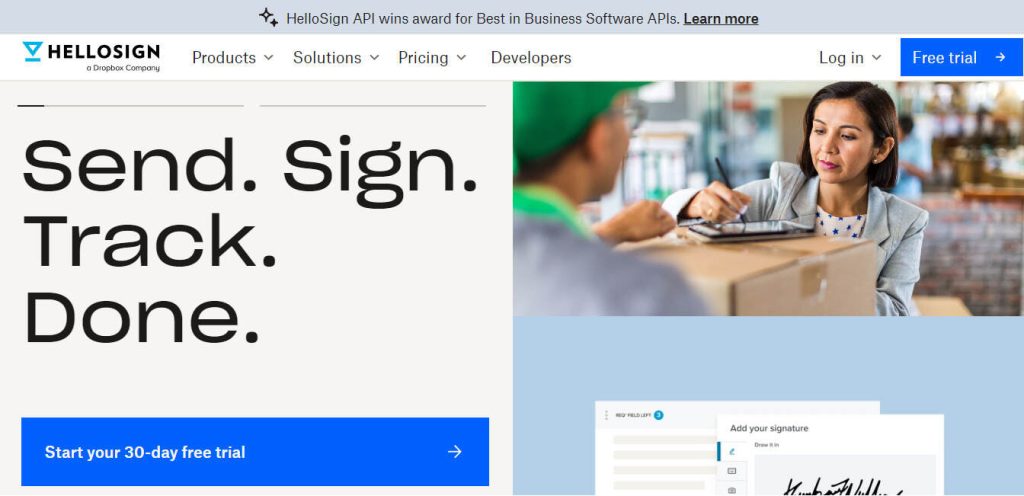
Dropbox Sign is the clean, friendly option in the category. Teams already storing contracts in Dropbox get a signing flow that feels like a native feature of their file system, not a bolted-on add-on. For small businesses, it is one of the most straightforward Zoho Sign alternatives you can buy.
Key features:
- Deep Dropbox, Google Drive, and Microsoft 365 integrations
- Reusable templates and custom signature fields
- Audit trails with timestamps and IP addresses
- Bulk send for up to 250 signers with automated reminders
- Legally binding under the ESIGN Act and eIDAS
- Developer API for embedded signing in custom apps
Pros
- One of the easiest signing tools to hand to a non-technical teammate. (Source: G2)
- Dropbox-native storage collapses signing and filing into one workflow. (Source: Capterra)
- Fast setup and compliance-friendly audit trails hold up for regulated SMBs. (Source: Gartner Peer Insights)
Cons
- Mass-send flows feel capped compared with larger enterprise platforms. (Source: G2)
- Starts to feel limited once team workload scales past SMB volume. (Source: G2)
Dropbox Sign pricing:
- Essentials: $20 per month, billed annually
- Standard: $30 per user per month, billed annually
- Dropbox + eSign bundle: $24.99 per month; Premium is custom
G2 rating: 4.7/5 across 2,266 reviews, G2 reviews
Best for: Dropbox-centric teams and small businesses that want a fast, clean signing experience without enterprise complexity.
Dropbox Sign vs Zoho Sign
Dropbox Sign beats Zoho Sign on interface polish and Dropbox-native storage. Zoho Sign is better if you want a free tier, tighter CRM integration inside Zoho apps, and lower list prices.
6. SignNow: Best for High-Volume Signing on a Budget
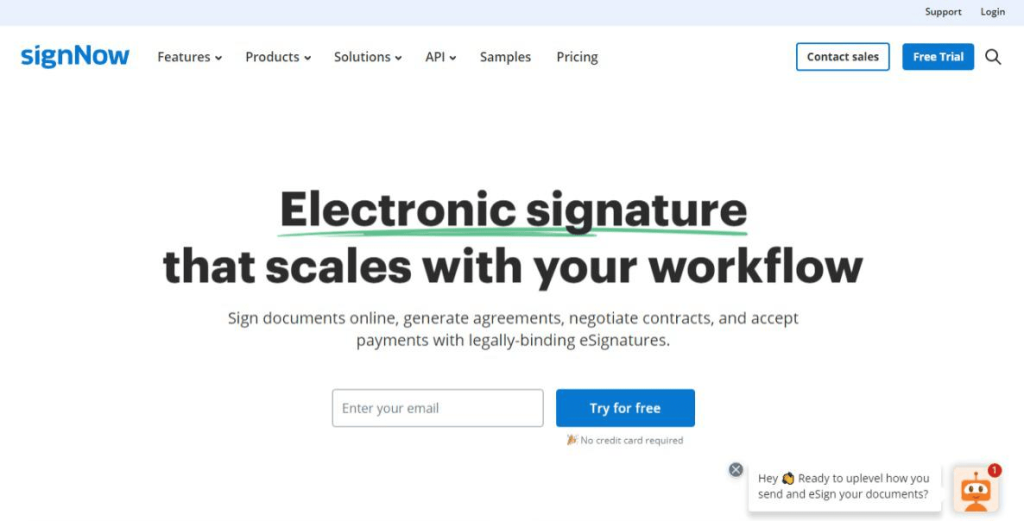
SignNow is the high-volume budget pick. Most plans come with unlimited envelopes, which makes it a favorite for HR onboarding, policy rollouts, and any workflow where the cost-per-send math starts to bite. On price, it is one of the most affordable tools in the list.
Key features:
- Unlimited envelopes on most paid plans
- Reusable templates, bulk send, sequential signing, and conditional routing
- Advanced authentication with two-factor verification
- Salesforce, Microsoft 365, Google Workspace, and NetSuite integrations
- Developer API and embedded signing
- Mobile app for iOS and Android with offline signing
Pros
- Unlimited envelopes drive the switch away from DocuSign or Zoho Sign for HR and ops teams. (Source: G2)
- Template reuse and signature tracking hold up at high volume. (Source: Capterra)
- Embedded-signing API earns high marks from developer reviewers. (Source: Gartner Peer Insights)
Cons
- Learning curve on the Advanced Field Settings before the workflow feels natural. (Source: G2)
- Switching between multiple documents in one session adds friction. (Source: G2)
SignNow pricing:
- Business: $8 per user per month, billed annually
- Business Premium: $15 per user per month, billed annually
- Enterprise: $30 per user per month; airSlate Business Cloud: $50 per user per month
G2 rating: 4.6/5 across 1,754 reviews, G2 reviews
Best for: High-volume signing (HR, operations, legal) where cost per envelope matters more than proposal-creation features.
SignNow vs Zoho Sign
SignNow is cheaper at scale and offers unlimited envelopes. Zoho Sign wins on native Zoho CRM integration and on interface polish for smaller teams.
7. Signeasy: Best for Mobile-First Teams and AI-Assisted Review
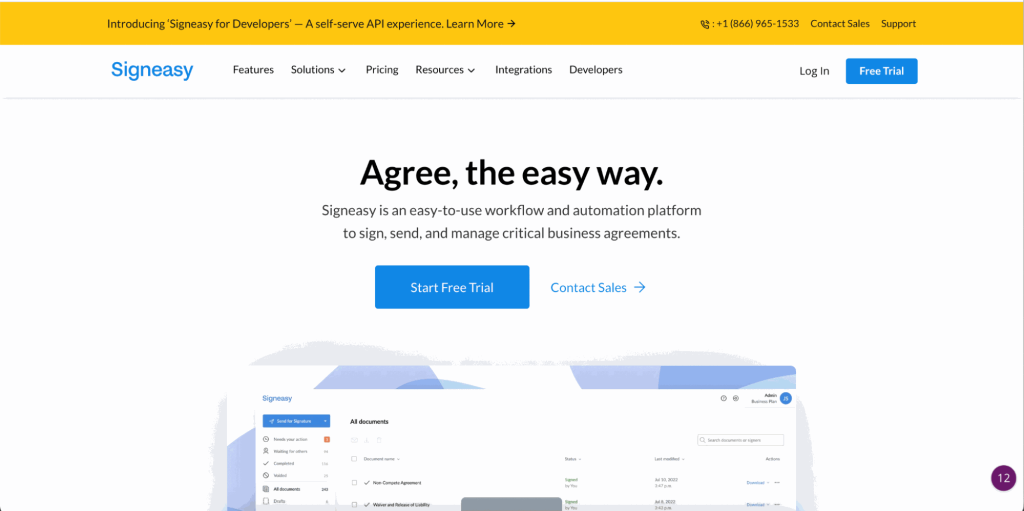
Signeasy leads with mobile, and the AI-powered document summaries cut review time on long contracts. For teams that sign on the go (field sales, real estate, construction), the mobile experience is the most polished in this list. Onboarding is short because the interface stays out of the way.
Key features:
- Mobile-first iOS and Android apps with offline signing
- AI-powered document summaries to speed up contract review
- Google Workspace, Microsoft 365, Salesforce, HubSpot, and Zoho CRM integrations
- Sequential signing, automated reminders, and reusable templates
- Audit trails compliant with ESIGN Act and eIDAS
- Developer API for embedded signing
Pros
- Streamlines contracts for out-of-state customers where print-and-scan used to stall deals. (Source: G2)
- AI document summaries cut review time on long contracts. (Source: Capterra)
- Phone-first signing finally makes mobile workflows painless for field teams. (Source: G2)
Cons
- No spellcheck inside the message box when drafting signing requests. (Source: G2)
- Free version hits limits quickly once regular usage picks up. (Source: G2)
Signeasy pricing:
- Essential: $10 per user per month, billed annually
- Team: $15 per user per month, billed annually
- Business: $25 per user per month; Business Plus: $40 per user per month
G2 rating: 4.7/5 across 762 reviews, G2 reviews
Best for: Mobile-first teams in sales, real estate, logistics, and construction that want fast signing plus AI review support.
Signeasy vs Zoho Sign
Signeasy wins on mobile signing and AI features. Zoho Sign wins when your workflows live primarily inside Zoho CRM and you need tighter native integration.
8. GetAccept: Best for Sales Teams That Need Digital Sales Rooms
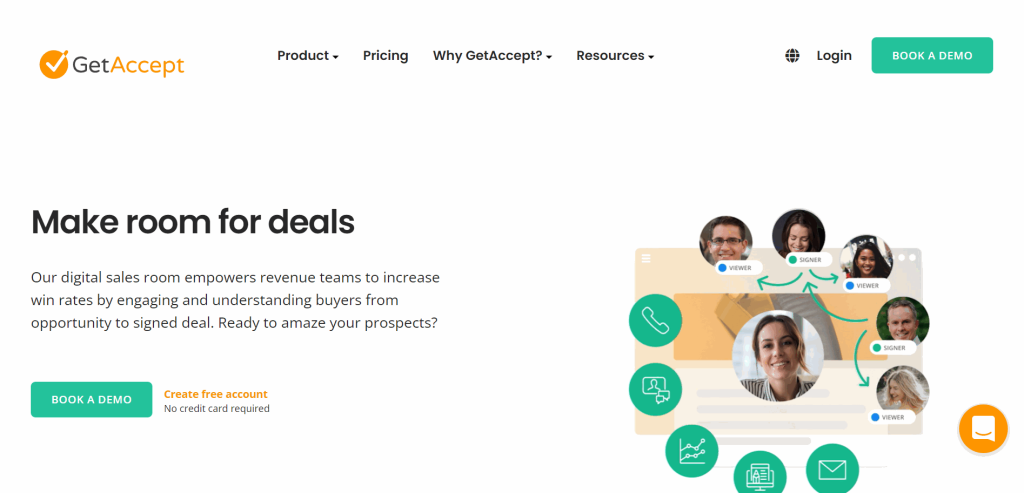
GetAccept is a digital sales room wrapped around an eSignature engine. Video greetings, buyer engagement tracking, and sales enablement features sit on top of solid signing, which makes it a strong pick for sales teams who need more than a signature block at the bottom of a PDF.
Key features:
- Digital sales rooms for proposal collaboration with buyers
- Video and personalized messaging attached to documents
- Document tracking with real-time buyer engagement analytics
- Salesforce, HubSpot, Pipedrive, and Microsoft Dynamics integrations
- Reusable templates, content library, and sequential signing
- GDPR and SOC 2 compliance out of the box
Pros
- Digital sales rooms keep deal context flowing with buyers from first touch to close. (Source: G2)
- Room builders pick the platform up quickly and signers get a visually clean experience. (Source: G2)
- GDPR and SOC 2 out of the box cover most enterprise compliance checklists. (Source: Gartner Peer Insights)
Cons
- The shift from pure eSignature to full sales enablement has left some older capabilities feeling stranded. (Source: G2)
- Non-sales teams want more UI customization for everyday documents. (Source: Capterra)
GetAccept pricing:
- Free eSign: basic signing with limited envelopes
- Essential: $25 per user per month, billed annually
- Professional: $49 per user per month, billed annually; Enterprise is custom
G2 rating: 4.6/5 across 1,119 reviews, G2 reviews
Best for: Sales teams that want eSignature plus a digital sales room and buyer engagement tracking in one place.
GetAccept vs Zoho Sign
GetAccept is a sales-enablement platform with signing built in. Zoho Sign is a pure eSignature tool. Pick GetAccept if closing deals is the priority; pick Zoho Sign if you just need to get documents signed.
9. pdfFiller: Best for PDF-Centric Edit-and-Sign Workflows
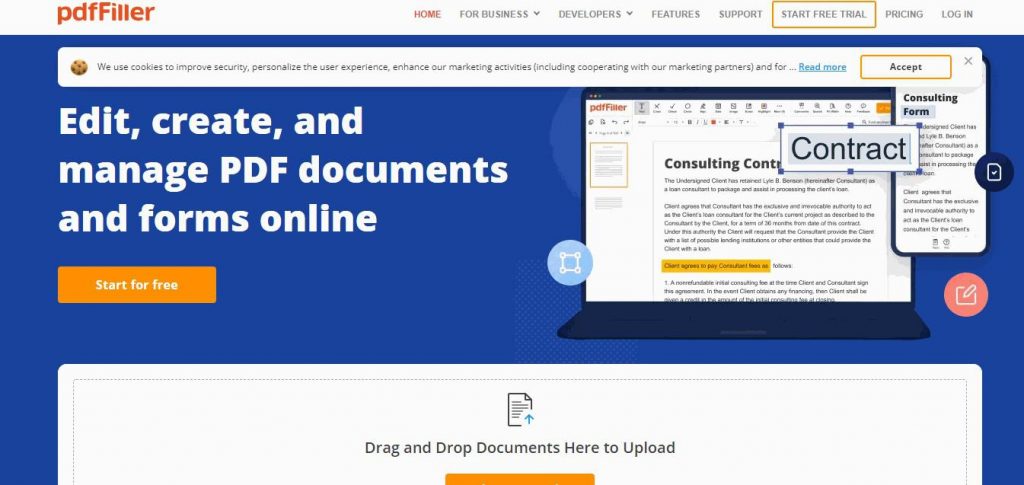
pdfFiller is for teams that live in PDF files. Editing, form filling, and eSignature sit in one tool, which is exactly what you want when the workflow is receive-edit-sign-return. For PDF-heavy admin and legal teams, it is a cost-effective Zoho Sign alternative.
Key features:
- PDF editing with text, images, and annotations
- Fillable form builder with conditional logic
- SendToSign, reusable templates, and bulk send
- Google Drive, Dropbox, OneDrive, and Salesforce integrations
- US Legal Forms library access for regulated workflows
- Developer API for embedded signing
Pros
- Reusable fillable forms are easy to build and stay useful over months of repeat use. (Source: G2)
- Online PDF editing has almost no learning curve for first-time users. (Source: G2)
- SendToSign plus the US Legal Forms library covers most regulated admin workflows. (Source: Capterra)
Cons
- Some of the most useful features sit behind paid plans, so the free tier feels limited for regular use. (Source: G2)
- Very long forms take time to build and very large PDF files can lag. (Source: G2)
pdfFiller pricing:
- Basic: $8 per month, billed annually
- Plus: $12 per month, billed annually
- Premium: $15 per month, billed annually; airSlate Business Cloud is custom
G2 rating: 4.6/5 across 796 reviews, G2 reviews
Best for: Admin, HR, and legal teams that edit and sign lots of PDF files every week.
pdfFiller vs Zoho Sign
pdfFiller wins on PDF editing and form filling. Zoho Sign is a cleaner pure-signing experience with deeper Zoho-app integrations.
10. Nitro Sign: Best for Mid-Market PDF Productivity Plus Signing
Nitro Sign ships inside the wider Nitro productivity suite. That fits PDF-first teams who want signing alongside editing, collaboration, and conversion on one contract. The interface stays clean, onboarding stays short, and the bundle positions it as a solid mid-market Zoho Sign alternative.
Key features:
- Unlimited eSigning on the Advanced plan
- PDF editing, conversion, and team collaboration tools
- Outlook, SharePoint, OneDrive, and Google Drive integrations
- Reusable templates with custom signature fields
- Audit trails, two-factor authentication, and advanced security
- Developer API and embedded signing
Pros
- Layout is close enough to Microsoft Office that first-time users do not feel lost. (Source: G2)
- Open a PDF and start editing without needing a tutorial. (Source: G2)
- Strong rating from Outlook and SharePoint-heavy teams on the Nitro Sign Premium page. (Source: Capterra)
Cons
- Advanced features feel limited once documents get very complex. (Source: G2)
- Can feel heavy on system resources when opening large PDFs on slower machines. (Source: G2)
Nitro Sign pricing:
- Nitro Sign Essentials: $9.99 per user per month, billed annually
- Nitro Sign Advanced: $19.99 per user per month, billed annually
- Nitro Sign Enterprise: custom pricing
G2 rating: 4.4/5 across 376 reviews under the Nitro PDF parent listing, G2 reviews
Best for: Mid-market teams that want PDF productivity plus eSignature under one contract.
Nitro Sign vs Zoho Sign
Nitro Sign wins on PDF productivity and Microsoft 365 integration. Zoho Sign is better on pure signing at a lower price, especially inside a Zoho-app stack.
How to Decide After Reading the Reviews
Three short questions cut the list from ten to one.
- Do you need signing only, or signing plus proposals? Signing only points to Signaturely, Dropbox Sign, or Signeasy. Signing plus proposals and quotes points to PandaDoc or GetAccept.
- What stack are you in? Microsoft 365 and Acrobat users lean toward Adobe Acrobat Sign. Dropbox users lean toward Dropbox Sign. Sales teams on Salesforce or HubSpot lean toward PandaDoc or GetAccept.
- What’s your signature volume? A few documents a month means the free tiers on Signaturely or PandaDoc are enough. High volume points to SignNow’s unlimited envelopes or a DocuSign Business plan.
Who Should Use What Alternative?
| Team profile | Best Zoho Sign alternative | Why |
|---|---|---|
| Freelancer or micro business | Signaturely | Free tier, simple interface, strong branding |
| Small business, general signing | Dropbox Sign | User-friendly interface, fast onboarding |
| Sales team sending proposals | PandaDoc or GetAccept | Document creation plus signing plus buyer analytics |
| High-volume ops or HR | SignNow | Unlimited envelopes at low cost |
| Mobile-first field team | Signeasy | Best mobile app and AI document summaries |
| Enterprise with strict compliance | DocuSign | Broadest integrations and advanced authentication |
| PDF-heavy Microsoft 365 shop | Adobe Acrobat Sign or Nitro Sign | Native PDF and Office integration |
| Admin or legal team editing PDFs | pdfFiller | PDF editing and signing in one tool |
How to Implement an Alternative to Zoho Sign
Switching eSignature tools is lighter than switching a CRM, but it still deserves a short rollout plan.
- Export your templates and signed archive. Download completed documents from Zoho Sign and export reusable templates. Most alternatives accept PDF templates directly.
- Rebuild the top five templates first. Start with your most-used NDA, offer letter, or order form. Recreate them in the new tool, add signature fields, and test with an internal signer.
- Connect integrations. Wire up Salesforce, HubSpot, Google Drive, or Zoho CRM depending on your stack. Verify that completed documents flow back to the right record.
- Run a two-week overlap. Keep Zoho Sign active while you cut over. Route new documents through the new tool and let existing envelopes finish in Zoho Sign.
- Archive and cancel. Once open envelopes close, archive everything, cancel Zoho Sign, and document the new signing process for your team.
FAQ About Zoho Sign Alternatives
The best Zoho Sign alternative depends on your workflow. Signaturely is the strongest choice for small businesses wanting simple signing with custom branding. DocuSign is the safest enterprise pick, and PandaDoc wins for sales teams that need proposals plus eSignature.
Yes, Zoho Sign is legally binding. It complies with the ESIGN Act in the U.S., eIDAS in the EU, and other global regulations, which makes signatures legally enforceable in most jurisdictions.
Yes, several Zoho Sign alternatives offer a free tier. Signaturely includes three signature requests per month on its free plan, and PandaDoc offers free eSign with unlimited signatures. Dropbox Sign provides a free trial rather than a permanent free tier.
DocuSign is the global enterprise standard with the broadest integrations, advanced authentication, and complex workflow automation. Zoho Sign is cheaper, simpler, and deeply integrated with Zoho apps. Choose DocuSign for enterprise compliance, Zoho Sign for Zoho-native workflows.
Signaturely is the best Zoho Sign alternative for small businesses. It combines a free tier, a user-friendly interface, custom branding, and affordable paid plans starting at $20 per user per month. Dropbox Sign and Signeasy are strong runners-up.
Pricing varies widely. Free tiers cover basic signing for individuals. Entry-level professional plans typically start between $8 and $25 per user per month, billed annually. Enterprise plans with dedicated account managers are usually quote-based.
What You Need to Remember About Zoho Sign Alternatives
Zoho Sign is a solid digital signature platform for teams already inside the Zoho ecosystem, but it is not the right fit for every document workflow. If you want simple signing with custom branding, Signaturely is the easiest switch. If you need enterprise compliance and integration breadth, DocuSign is the safe pick. Sales teams should look at PandaDoc or GetAccept, high-volume ops teams at SignNow, and mobile-first teams at Signeasy.
Before you commit, pilot two or three tools on a real contract. G2, Capterra, and Gartner Peer Insights agree on the shape of the market, but your day-to-day signing process is what decides it. Start a free Signaturely plan and see how simple digital signing can feel.